🌙 Ramadan Mode

Category: Marketing & Grow

  • SEO for Normal People

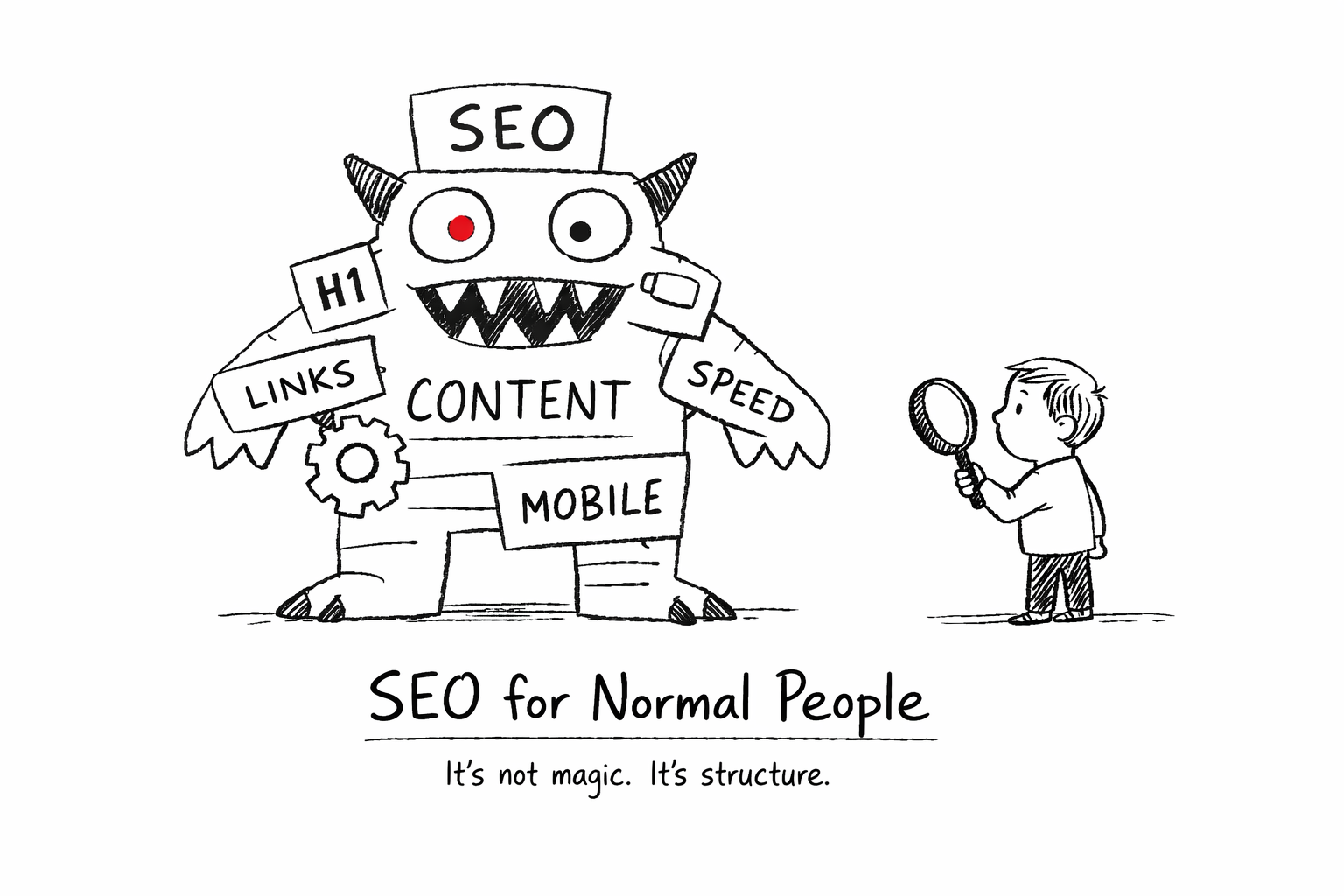
    SEO for Normal People

    What It Is, What It Isn’t, and How Not to Get Lost

    SEO sounds complicated.

    Agencies talk about:
    Algorithms.
    Domain authority.
    Technical audits.
    Backlink velocity.

    And suddenly small business owners feel like they need a translator just to understand the invoice.

    Let’s slow it down.

    SEO is not magic.

    SEO is not secret knowledge.

    SEO is making your website understandable.

    To people.
    And to search engines.

    That’s it.

    Everything else is layers.


    What SEO Actually Is

    Search Engine Optimization means:

    • Your website clearly explains what you do
    • Your pages are structured properly
    • Search engines can crawl and index your content
    • Your content matches real search intent

    Google does not rank “businesses.”

    It ranks pages that answer questions clearly.

    If your website is vague, poetic, or confusing,
    SEO will struggle, no matter how many backlinks you buy.

    Clarity is the foundation.


    What SEO Is Not

    SEO is not:

    • Buying 300 random backlinks
    • Stuffing keywords into every paragraph
    • Adding meta tags and calling it “optimization”
    • Promising first page in 3 months without context

    If SEO were only meta tags, everyone would rank first.

    Real SEO is structured work.
    Ongoing.
    Measured.
    Adjusted.

    It’s closer to gardening than gambling.


    The Two Real Parts of SEO

    There are two main components:

    On-Page SEO

    What happens on your website.

    • Clear headings
    • Logical structure
    • Relevant content
    • Internal links
    • Technical cleanliness
    • Fast loading
    • Mobile-friendly layout

    This is foundation.

    Without it, everything else is unstable.


    Off-Page SEO

    What happens outside your website.

    • Backlinks
    • Mentions
    • References
    • Trust signals

    Good backlinks matter.

    But they must be:

    Relevant.
    Natural.
    Sustainable.


    The “Rental Authority” Problem

    Here’s something many business owners don’t know.

    Some providers boost rankings by placing your links on high-authority websites they control.

    While you pay, the links stay.
    When you stop paying, the links disappear.

    Your rankings drop.

    Is it illegal? No.
    Is it long-term strategy? Also no.

    That’s rented visibility.

    And rented visibility is temporary.

    Real SEO builds assets you keep, even if you stop paying someone.

    That’s the difference.


    What You Should Ask Before Hiring an SEO Provider

    You don’t need to become an SEO expert.

    But you should understand what you’re buying.

    Ask simple questions:

    • What exactly will you improve on my website?
    • How do you measure real results?
    • Are backlinks permanent or dependent on monthly payment?
    • What happens if I stop working with you?
    • Will I understand the reports you send me?

    A serious professional won’t be offended.

    In fact, they’ll appreciate that you care.


    Why SEO Still Matters

    Because when done properly:

    • It reduces dependency on paid ads
    • It compounds over time
    • It builds credibility
    • It creates stable visibility

    SEO is not fast.

    It’s not dramatic.

    But it’s powerful when built on structure.


    Final Thought

    You don’t have to do SEO yourself.

    And you don’t have to distrust every agency.

    But you should understand the basics.

    Because when you understand the rules of the game,
    you stop being an easy target.


    SEO is not magic. It’s structure.

    Listen widely. Apply selectively.

  • Before You Increase Your Google Ads Budget, Read This.

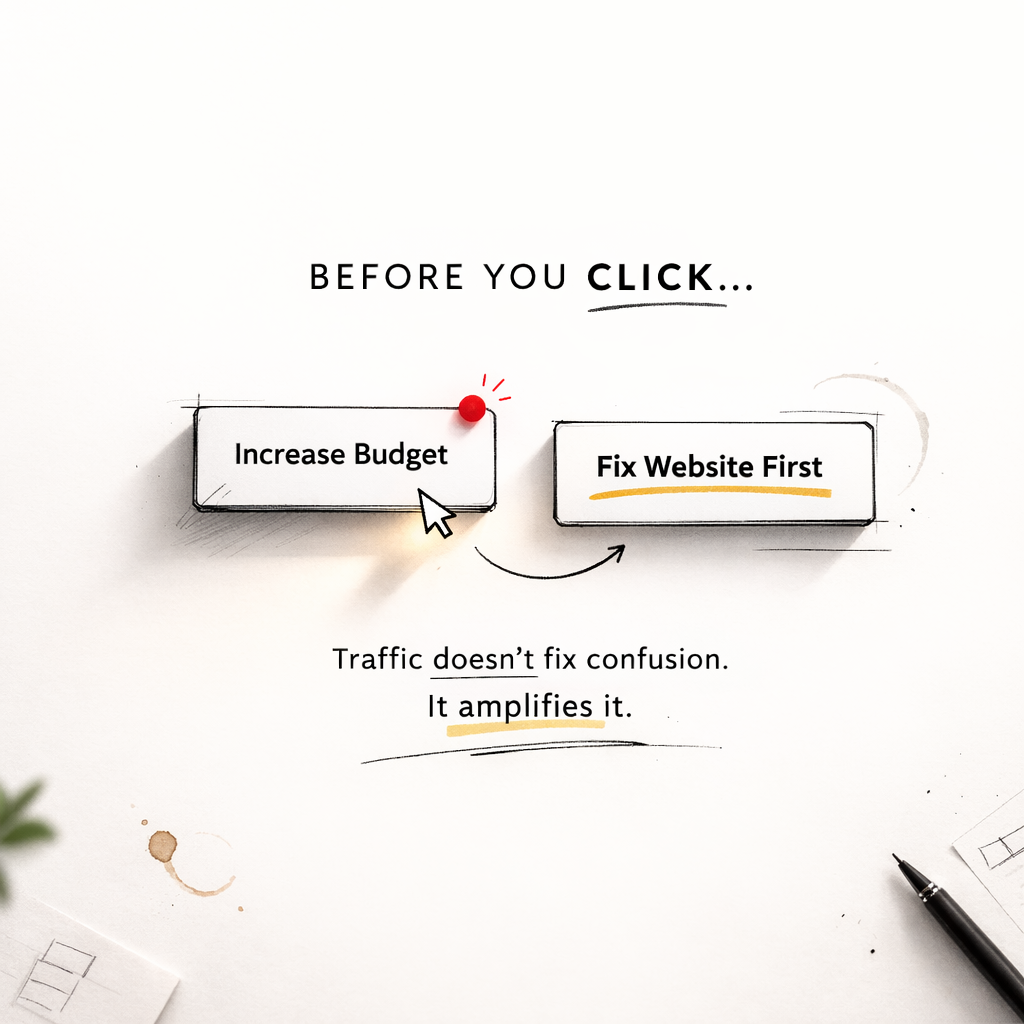
    Before You Increase Your Google Ads Budget, Read This.


    Google Ads became smarter.
    That doesn’t automatically mean it became cheaper.

    If you run ads for a small business – or you’re thinking about increasing your budget – pause for a moment.

    I don’t manage enterprise accounts with million-dollar budgets.
    I work with small businesses.

    And small budgets behave differently.

    What I’ve seen too many times is this:

    Budget goes up.
    Clicks go up.
    Stress goes up.

    Sales? Not always.

    So before you increase your Google Ads budget this year, check a few things calmly.

    Not as a technician.
    As a business owner.


    Automation Is Smarter. But It Needs Structure.

    Google is pushing automation everywhere:

    • Smart bidding
    • Broad match
    • Performance Max

    And honestly?
    Sometimes it works beautifully.

    But automation without structure is just fast guessing.

    If your conversion tracking is unclear,
    if your website doesn’t clearly show what you offer,
    if the next step isn’t obvious…

    Then the system optimizes noise.

    And noise with budget attached becomes expensive.

    Google’s AI doesn’t understand your childhood dream.
    It understands signals.

    If your homepage talks emotionally about building wooden houses since you were five, the system might categorize you closer to “bird houses” than premium home construction.

    Signals create targeting.
    Targeting spends budget.

    If the signals are unclear, the spending will be too.


    Your Website Structure Matters More Than Your Campaign Type

    This is rarely discussed.

    Before ads, ask yourself:

    Can someone understand what I do in five seconds?
    Five seconds decide whether someone stays or leaves.

    Is my offer clear?
    Can an average person understand what my business actually does – even if English isn’t their first language?

    Is pricing transparent enough to filter the wrong audience?
    If you sell customized, higher-value products, why pay for clicks from bargain hunters who will never buy?

    Is there one obvious action to take?
    Buy.
    Book.
    Request a quote.
    Check availability.

    Or is the visitor forced to guess?

    Traffic amplifies what already exists.

    Clear website → better results.
    Confusing website → faster money loss.

    Google Ads does not fix structure.
    It magnifies it.


    The Recommendations Tab Is Not Your Financial Advisor

    Google will suggest:

    Increase budget.
    Expand targeting.
    Add more keywords.
    Remove limits.

    That doesn’t mean the recommendations are wrong.

    But remember:

    Google is a business.
    Its system is designed to increase activity and spend.

    Your system must be designed to increase profit.

    Those goals overlap – but they are not identical.

    Removing limits gives the system more freedom.
    Freedom without structure can become expensive.

    Review. Think. Decide.

    Don’t click “Apply All” at 11:47 pm.


    Small Budgets Need Discipline, Not Expansion

    If you’re a small company, your advantage isn’t scale.

    It’s focus.

    Instead of:
    More keywords.
    More locations.
    More experiments.

    Try:
    Clear message.
    Strong landing page.
    Precise targeting.

    Define your real customer.

    Where do they live?
    What do they value?
    Fast delivery? Craftsmanship? Personal service? Premium materials?

    Speak directly to them.

    Small budgets need clarity more than creativity.


    You Don’t Need to Know Everything

    You don’t have to become an ad manager.

    But you should understand:

    • What is being measured
    • What counts as a real conversion
    • What the cost per actual customer is – not per click

    Ask your specialist those questions.

    Not aggressively.
    Just intelligently.

    A good expert will appreciate that.


    Final Thought

    Google is not your enemy.
    But it is not your financial advisor either.

    Before increasing your ad budget,
    make sure your foundation is strong.

    If this helped you slow down and think differently, that’s enough.

  • Building Your First Website Without Losing Your Mind (Or Your Sanity)

    Building Your First Website Without Losing Your Mind (Or Your Sanity)

    How to build your first website ?

    If you’re starting from zero, this guide will help you take small, calm steps – without feeling overwhelmed or lost in a sea of buttons, plugins, and templates.

    We’ll cover:

    • the tools that make your life easier
    • how to optimize images so your site doesn’t crawl
    • the pages you actually need (and which ones you don’t)
    • how to write your home page without sounding robotic
    • why it’s okay for your website to feel empty at first

    Think of this as your hand-holding, coffee sipping, “you’ve got this” guide 🤍

    How to build Your First Website (Or: The Cake That Lied to You 🎂)

    Creating a website is like baking your first cake ,messy, confusing, but eventually delicious.

    Everywhere you hear:

    “It’s easy.”
    “It’s simple.”
    “It takes 5 minutes.”

    Let’s be honest for a second.

    No.
    It doesn’t.

    Even if you have technical knowledge, building a simple website takes at least one full day. And if you don’t? It takes patience, coffee, and a few moments of questioning your life choices 😅


    “But AI Can Build a Website for Me!”

    Yes. It can.

    And it will probably do a good job.

    But ask yourself this:
    Will it feel like your website?

    It’s a bit like ordering home decor online from a company you’ve never spoken to. The furniture might be beautiful. The colors might match.
    But will it feel like home?

    One in a million chance.
    Are you that lucky? 😂
    No? I thought so.

    That’s why the best approach is:

    • either build your website yourself, step by step
    • or let someone build it for you after you clearly explain what you want

    Your website should feel like you, not like a random template that landed in the wrong house.


    Let’s Assume You’re Building It Yourself

    Now, before anyone panics -no.
    I’m not going to tell you to learn coding.

    If words like HTML, CSS, JavaScript sound to you like:
    “the validity of quantum physics in the structural universe” -welcome to the club 😂🤣
    Sometimes I’m so smart I don’t understand myself either.

    So… no coding.


    Choosing a Platform (Without Breaking Your Brain)

    For beginners, the best option is WordPress.

    Why?

    • It has many free themes
    • Thousands of plugins
    • You can start small without spending much money
    • And when your business grows, WordPress grows with you

    When you’re starting a business, you count every cent (or dirham), and WordPress respects that.


    Before You Build Anything (One Important Step)

    Before designing pages or choosing colors, you need two things:

    1. A domain name (your website address)
    2. A hosting (the place where your website lives)

    My honest advice?
    Buy both in one place. It’s easier, faster, and saves a lot of frustration.

    Personally, I recommend Hostinger:

    • It’s beginner-friendly
    • It has WordPress installation built-in
    • You don’t need to jump between different platforms
    • Less stress, more progress

    Click, install, breathe.


    A Gentle Reminder Before We Continue

    Your first website doesn’t have to be perfect.
    It doesn’t need to impress everyone.

    It just needs to:

    • exist
    • feel like yours
    • and get better with time

    And it will. I promise.

    Beginner Tools (So You Don’t Feel Lost)

    Before we go any further, let me say this clearly:

    You do not need all the tools.
    You do not need them right now.
    And you are allowed to learn one thing at a time.

    These tools are here to make life easier, not more complicated.


    Domain & Hosting (Your Website’s Address and Home)

    What it’s for:
    This is where your website lives and how people find it.

    Beginner-friendly choice:

    • Hostinger
      You can buy:
      • domain
      • hosting
      • and install WordPress in one place

    Less jumping around. Less “where did I click?” moments.

    Good for:
    ✔ first websites
    ✔ small businesses
    ✔ people who don’t want drama


    Themes (How Your Website Looks)

    What it’s for:
    A theme is like choosing the style of your house before decorating it.

    Good beginner options:

    • Astra
    • Hello
    • Blocksy

    They are:

    • free (with paid upgrades if you ever want more)
    • light and fast
    • easy to change later

    Important reminder:
    You’re not marrying your theme.
    You can change it. Breathe


    Page Builders (Move Things Without Coding)

    What it’s for:
    This lets you drag things around instead of touching code.

    Beginner-friendly choice:

    • Elementor (free version)

    You can:

    • add text
    • add images
    • move sections
    • see changes instantly

    If you can use Canva, you can use this.

    Image Optimization (Make Your Site Faster)

    What it’s for:
    Large images = slow website.
    Slow website = visitors leaving quietly.

    Easy options:

    • TinyPNG / TinyJPG (online, free)
    • Smush or ShortPixel (WordPress plugins)

    This is one of those “small effort, big difference” things.


    Safety & Backup (Because Things Happen)

    What it’s for:
    Protect your website and save a copy in case something breaks.

    Beginner-safe options:

    • UpdraftPlus (backups)
    • Wordfence (basic security)

    You don’t need to become paranoid.
    You just need a seatbelt.


    Writing Help (If Words Feel Heavy)

    What it’s for:
    Helping you write clearer, friendlier text.

    Helpful tools:

    • Grammarly – for clarity
    • Notion / Google Docs – for planning pages

    Write like you talk.
    Edit later. Always.


    One Last Thing (Very Important)

    Tools don’t build websites.
    People do.

    Tools are just helpers.

    If today you only:

    • bought a domain
    • installed WordPress
    • and looked at your empty dashboard

    That’s already progress.

    Your website is not late.
    It’s being born.

    Images: Why Your Website Is Slow (And It’s Not Your Fault)

    Let’s talk about images.
    Because they are lovely… and also a little dramatic.

    Most first-time website owners don’t know this:
    Images are the number one reason websites feel slow.

    Not the platform.
    Not the hosting.
    Not “bad luck”.
    Just… images that are too heavy.

    Think of it like this:
    You invited guests to your house, but before opening the door, you’re trying to carry ten suitcases at once.
    Of course it takes time 😅

    That’s exactly what happens when someone opens your website and all images rush in together, unprepared.


    “But My Images Look Fine?”

    Yes. They look fine.
    But behind the scenes they might be:

    • taken directly from a phone (very large files)
    • downloaded from a camera (even larger)
    • uploaded without any preparation (website panic)

    Your visitor doesn’t see the image problem.
    They feel it.

    They click – wait – wait a little more – leave.

    And no one tells you why.


    The Good News (Take a Breath)

    You do not need to learn design.
    You do not need technical skills.
    You do not need expensive software.

    You just need to make images a little lighter before putting them on your website.

    That’s it.
    No magic. No stress.


    Helpful Tools (Pick What Feels Easy)

    If you want something free and simple:

    • TinyPNG / TinyJPG
      Upload your image – download it lighter -upload to your website.
      That’s the whole process. Really.

    If you use WordPress and want automatic help:

    • Smush or ShortPixel
      These tools quietly optimize images for you in the background — like a helpful assistant who doesn’t talk too much.

    If you prefer “I don’t want to think about this again”:

    • A paid image optimization plugin is worth it for peace of mind.
      One click, problem solved, go drink tea

    One Important Thing People Forgetq

    Always check your website on your phone.

    If you have to:

    • zoom
    • pinch
    • squint
    • rotate the screen

    Your visitors will do the same… once.
    Then they’re gone.

    Your website should feel calm on mobile.
    Like it belongs there.


    A Gentle Reminder

    Your first website doesn’t need to be perfect.
    It needs to be kind to visitors.

    Fast enough.
    Clear enough.
    Human enough.

    And if your images were heavy before -congratulations
    You’re officially doing what almost everyone does at the beginning.

    You’re learning. That’s the point.

    What Pages Your First Website Actually Needs

    (And Which Ones You Really Don’t)

    Let’s clear something up right now:

    Your first website does not need to be big.
    It needs to be clear.

    Most beginners open WordPress, see “Add New Page” and think:

    “Maybe I need Home… About… Services… Portfolio… Blog… Shop… FAQ… Testimonials… Press… Careers… Contact… Privacy… Cookies… Terms…”

    Stop.
    Breathe.
    Put the mouse down 😂

    More pages do not make you more professional.
    They just make visitors tired.


    The 4 Pages You Actually Need

    Yes. Four.
    Not forty.


    1. Home Page (Your “Hello”)

    What people expect here:

    • Who you are
    • What you do
    • Who it’s for
    • What to do next

    That’s it.

    Your home page is not your life story.
    It’s a friendly wave and a clear sentence.

    Think:

    “You’re in the right place if…”

    Not:

    “Welcome to our innovative solutions platform established in…”

    If someone stays 10 seconds and understands you — success


    2. About Page (The Human Page)

    This page is not about how amazing you are.

    It’s about:

    • why you do what you do
    • who you help
    • what you believe in

    People don’t connect with businesses.
    They connect with humans.

    You don’t need awards.
    You need honesty.


    3. Services / What I Offer Page

    Even if you offer one thing, it deserves its own page.

    Explain:

    • what you do
    • how it helps
    • what problem it solves

    No complicated packages.
    No buzzwords.

    If your visitor thinks:

    “Oh… this makes sense.”

    You’re doing great.


    4. Contact Page (Don’t Hide This One)

    Please don’t make people search for you like a treasure hunt.

    This page should be:

    • simple
    • clear
    • easy

    Email, form, WhatsApp , whatever you prefer.
    Just make it obvious.

    If people want to reach you and can’t, they won’t try twice.


    Pages You Can Skip (For Now)

    These pages are not bad — they’re just not urgent.

    ❌ Blog

    You don’t need one on day one.
    Only start when you actually want to write.

    ❌ Portfolio

    If you have work — great.
    If not, don’t panic. One example is enough.

    ❌ FAQ

    If no one has asked you questions yet…
    there is nothing to answer 😂

    ❌ Shop

    Selling later is perfectly fine.


    The Page That Confuses Everyone: Privacy Policy

    Yes, you need it.
    No, you don’t need to write it yourself.

    Use a generator.
    Add it.
    Forget about it.

    We don’t overthink this one.


    A Friendly Rule to Remember

    If a page doesn’t:

    • help your visitor
    • answer a question
    • or guide them to the next step

    You don’t need it yet.

    Your website is allowed to grow with you.

    How to Write Your Home Page Text (Without Sounding Like a Robot )

    Let’s start with the most important truth: If your home page sounds like a robot, it’s not because you’re bad at writing. It’s because you’re trying to sound professional instead of human. And “professional” on the internet often means: long sentences big words no personality zero warmth Your visitor is not a board of directors. They are a tired human with many tabs open.

    First Rule: Write Like You Talk

    Before writing anything, do this:

    Imagine a friend asks you:

    “So… what do you do?”

    You don’t answer:

    “We provide innovative digital solutions tailored to diverse client needs.”

    You answer:

    “I help people build simple websites without losing their minds.”

    That’s your home page tone.


    The Simple Home Page Formula (No Creativity Required)

    You only need four short parts.


    1. One Clear Sentence at the Top

    This is the most important text on your website.

    Answer one question:

    “Why am I here?”

    Good examples:

    • “I help small businesses build their first website — simply and calmly.”
    • “Website creation for people who don’t speak tech.”

    Bad example (sorry 😅):

    • “Welcome to our platform offering comprehensive digital services.”

    If people understand you in 5 seconds, you win.


    2. Who This Is For (So Others Can Relax)

    Tell people directly if they’re in the right place.

    Example:

    • “This is for you if you’re starting a business and feel lost with websites.”
    • “Perfect for beginners who want a website that feels like them.”

    This is not exclusion.
    This is kindness.


    3. How You Help (Keep It Simple)

    No processes. No systems. No “methodologies”.

    Just explain:

    • what you do
    • how it helps
    • what problem disappears

    Example:

    • “I guide you step by step.”
    • “I build it for you or help you build it yourself.”
    • “I explain things in normal language.”

    Simple = trustworthy.


    4. One Clear Next Step

    Your visitor should never ask:

    “Okay… what now?”

    Choose one action:

    • Contact me
    • Book a call
    • Read the guide
    • Start here

    One button.
    One direction.


    Words That Make You Sound Like a Robot (Try to Avoid)

    You don’t have to delete them forever — just not all at once:

    • innovative
    • cutting-edge
    • solutions
    • leverage
    • seamless
    • scalable
    • excellence

    If a word sounds like it belongs in a corporate PowerPoint, maybe it doesn’t belong on your home page 😂


    A Small Writing Trick (Very Helpful)

    Write badly first.

    Seriously.

    Open a document and write:

    • too long
    • too messy
    • too honest

    Then remove:

    • half the words
    • the complicated phrases
    • anything you wouldn’t say out loud

    What’s left is your voice.


    Gentle Reminder Before You Publish

    Your home page doesn’t need to impress everyone.

    It just needs to make the right person feel:

    “Oh… this feels safe.”

    And that’s not robotic at all.

    Why Your Website Feels Empty

    (And Why That’s Completely Normal)

    At some point, every beginner sits in front of their website and thinks:

    “Is this it?”
    “It looks… empty.”
    “Did I miss something?”

    No.
    You didn’t miss anything.

    You’re just early.


    Empty Does Not Mean Wrong

    A new website is like a new apartment:

    • the walls are clean
    • the rooms echo
    • there’s furniture, but it doesn’t feel lived in yet

    That doesn’t mean the apartment is bad.
    It means no one has lived there yet.

    Websites need:

    • time
    • visitors
    • small updates
    • real use

    You can’t fake that on day one.


    Why Comparing Makes It Worse

    You look at other websites and think:

    “Their site feels full.”
    “Mine feels quiet.”

    What you don’t see:

    • years of content
    • dozens of edits
    • mistakes that were fixed
    • pages that no longer exist

    You’re comparing your beginning to someone else’s middle.

    That’s not fair to you.


    What Actually Fills a Website (Over Time)

    Not more pages.
    Not more plugins.

    But:

    • real questions from real people
    • small improvements
    • clarity
    • confidence

    Your website will grow because you grow.


    What You Should Focus on Instead

    If your website:

    • works on mobile ✅
    • loads reasonably fast ✅
    • explains what you do ✅
    • shows how to contact you ✅

    Then it is doing its job.

    Everything else is decoration and decoration comes later.


    A Gentle Truth

    Most websites don’t fail because they’re empty.
    They fail because people never start.

    You started.

    And that already puts you ahead of most people who are still “thinking about it”.


    Before You Close This Page

    If your website feels empty today:

    • don’t add random content
    • don’t panic
    • don’t copy others

    Just let it breathe.

    Your website is not unfinished.
    It’s just new.

    Your first website doesn’t need to be perfect.
    It just needs to exist, feel like you, and work for the people who visit.

    Take it step by step.
    Use the tools.
    Write like you talk.
    Breathe.

    Every small change, every little update, every finished page is progress.
    Before you know it, your website won’t feel empty anymore – it will feel alive, just like you imagined 😄

    And remember: starting is already a huge win. You did that today.
  • How to Speed Up Your Website The Beginner’s Guide

    How to Speed Up Your Website The Beginner’s Guide

    You know, in today’s online world, the speed of your website really matters, a lot. It’s not just about looking good; it’s about the experience users have when they land on your page. People, they want things to load fast. If your site takes too long, well, they get annoyed, and that can lead to them leaving, bouncing right off, and guess what? That could hurt how people see your brand. But worry not after reading this article you will expert in field how to speed up your website.

    And here’s another thing search engines, especially Google, they’re keeping an eye on your speed too. It’s kind of like a report card. If your site is slow, it might get a lower grade in search results, which isn’t great for visibility. You want to be seen, right?

    Now, let’s talk about conversion rates. Speed plays a huge role here. Whether you’re trying to sell something, get people to sign up for a newsletter, or just get them to interact with your content, a fast website makes it so much easier. It cuts down on the hassle for users, making them more likely to take that next step with you. So, in the end, it’s all about creating a smooth experience that helps you succeed online. Pretty crucial, wouldn’t you say?

    How to Speed Up Your Website Easy Way

    When we talk about “easy wins” in website optimization, we’re really diving into those quick and simple tweaks that can make a world of difference in how your site performs without requiring a ton of effort. Let’s break down three key examples: image optimization, browser caching, and enabling Gzip compression.

    First up, image optimization. It’s all about compressing those images without losing any of that all-important quality. You know, choosing the right file formats,like WebP, JPEG, or PNG, based on what kind of image you’re dealing with. This little step can seriously cut down on page load times. Smaller image sizes mean less data to shuffle around, which translates into a quicker, snappier experience for folks visiting your site.

    Next, we have browser caching. This nifty trick tells your visitors’ browsers to keep certain static files from your site,think images, CSS, and JavaScript, stored locally. So, when they come back for a second visit, or they hop around different pages on your site, there’s no need to redownload all those files. The result? Much faster loading times for them. Who doesn’t love that?

    And then there’s Gzip compression. Enabling this on your web server means you’re compressing HTML, CSS, and JavaScript files before they get sent over to users’ browsers. Once they receive it, their browser decompresses everything. This nifty process cuts down on the data that needs to be transferred over the network. So, especially for those folks out there on slower internet connections, it can make a real, noticeable difference in loading times.

    These straightforward adjustments not only boost the user experience but can also give your search engine rankings a nice little lift. It’s pretty amazing how some simple changes can lead to such big results, don’t you think?

    How to Speed Up Your Website by Choosing The Right Hosting

    Picking the right web hosting is super important if you want your website to run smoothly and load fast. There are basically four main types to consider: Shared, VPS, Dedicated, and Cloud hosting. Each one has its own perks and downsides that can really affect how quickly your site loads.

    First up, we’ve got Shared hosting. It’s the budget-friendly option, but here’s the catch you’re sharing server resources with a bunch of other sites. This can slow things down, especially when traffic is heavy. You know how it is everyone’s trying to get a piece of the pie, and that can create some bottlenecks.

    Then there’s VPS, or Virtual Private Server hosting. This one’s a step up, giving you your own little slice of server resources. So, you can expect better performance and scalability compared to Shared hosting. Your site will load faster and respond better since it’s not as affected by what others are doing on the same server.

    Now, if you really want to go all out, there’s Dedicated hosting. This means you get an entire server just for your website. Yep, it’s all yours! This option gives you maximum control, resources, and of course, speed. It’s perfect for high-traffic sites or if you need specific software setups.

    Lastly, we have Cloud hosting. This one’s pretty cool because it uses a network of virtual servers. So, it’s super scalable and reliable. Resources can be allocated on the fly, which means your site can handle spikes in traffic without a hitch. And hey, scaling it up or down can often be done with just a few clicks!

    In the end, the best choice really depends on what your website needs, how much traffic you expect, and your budget. But hey, just remember, understanding how each hosting type impacts performance is key to making sure your website is as speedy as it can be! It’s all about finding that right fit to keep your visitors happy.

    How Using CDN Affects Your Website Speed

    Alright, let’s break this down a bit. So, Content Delivery Networks, or CDNs, are like a web of servers spread out all over the globe, working together to deliver content to users based on where they’re located. Imagine you don’t have just one server holding all the files for your website; instead, a CDN keeps copies of your stuff—like images, videos, scripts, and stylesheets on servers that are much closer to your visitors. When someone tries to access your site, the CDN smartly sends them to the nearest server that has the cached content. This clever setup cuts down on latency, which is basically the delay in loading times, and it can really speed things up for the user.

    Now, let’s talk about how much of a difference a CDN can make for your website speed. It’s pretty huge! By shortening the distance data has to travel, CDNs effectively tackle those pesky latency issues that can slow things down. Plus, they spread the load among several servers. This means your main server doesn’t get bogged down, especially when there’s a rush of visitors. And we all know that faster load times lead to happier users less chance they’ll bounce away to another site and better chances for improved search rankings. It’s like having a secret weapon for optimizing your website and keeping that online experience smooth.

    So, if you’re thinking about using a CDN, the process is usually pretty simple. You just sign up with a provider, tweak your website settings to point to the CDN’s servers, and let them handle caching your content. It’s often a straightforward investment that pays off, especially if your site has a global reach or if you’re working with a lot of media. It’s totally worth it!

    Testing, Optimization, and Tools to Peed Up Your Website:

    You know, when it comes to making a website truly shine, testing and optimization really can’t be overlooked. It’s all about ensuring that user experience is not just smooth but also speedy. There are some fantastic tools out there that can help with this, and a few stand out among the rest: Google PageSpeed Insights, GTmetrix, and WebPageTest.

    First up, let’s talk about Google PageSpeed Insights. This one’s a gem, honestly. It’s super simple to use, and it gives you a quick look at how your site is performing on both mobile and desktop. It doesn’t just stop there, though. It points out potential problems and gives you solid recommendations based on what Google suggests is best practice. Pretty handy, right?

    Then there’s GTmetrix. This tool dives a bit deeper. It brings together scores from PageSpeed and YSlow and also includes tons of metrics and visuals. This means you can really zero in on where to focus your optimization efforts. It’s like having a magnifying glass for your website’s performance!

    And let’s not forget about WebPageTest. This one’s for the pros, really. It lets you run advanced tests, simulating different network conditions, browsers, and even locations. This way, developers can see exactly how their site performs in real-world scenarios. It’s like getting a backstage pass to your website’s performance, allowing for those fine-tuned adjustments that make all the difference.

    Using these tools effectively? Well, that’s where the magic happens. They empower developers and website owners to create not just faster websites, but ones that are more efficient and user-friendly. So, if you’re aiming to enhance your online presence, diving into these tools could be a game changer!

    Front End Optimization a Way to Speed Up Your Web

    Optimizing the front end of your website it’s really key, if you want to create a fast, engaging experience for your users. There are a bunch of techniques that can help with this, each one playing its part to make your site smoother and more responsive.

    First off, let’s talk about minifying and concatenating CSS and JavaScript files. Sounds technical, right? But it’s pretty straightforward! Minification basically shrinks your file sizes by getting rid of unnecessary stuff, like extra spaces and comments. And then there’s concatenation, which is just a fancy way of saying you’re combining multiple files into fewer, larger ones. This makes it easier on the browser since it doesn’t have to make so many requests.

    Now, you also want to tackle render-blocking resources. What does that mean? Well, it’s about making sure your browser can quickly read and show the initial content without getting stuck waiting on scripts or stylesheets. A little tip: if you prioritize and optimize what’s above the fold—the stuff users see first—you’ll make a big difference in how fast they perceive your site to be.

    And let’s not forget about lazy loading for images and videos. This nifty technique delays loading these elements until they’re just about to be seen on the screen. It’s a smart way to cut down on that initial load time and save on bandwidth, too.

    So, think about these strategies as little tweaks that can make a huge impact. It’s all about giving your visitors a smooth, enjoyable experience because, in the end, that’s what it’s all about, right?

    How Back End Optimization Can Speed Up Your Website

    Alright, so let’s dive into website speed optimization, which, believe me, isn’t just a simple task. It’s like a puzzle with lots of pieces, and it involves a bunch of techniques on both the front-end and back-end.

    Starting with the front-end, we really want to make sure users don’t just think the site is fast, but that it actually is. You know, things like making images lighter, trimming down CSS and JavaScript files, using browser caching , all that jazz helps. And let’s not forget about cutting down those pesky HTTP requests. When these strategies come together, it’s like magic the site feels snappier and more responsive, which is exactly what we want for a great user experience.

    Now, flipping to the back-end, that’s where things can get a bit more technical. Here’s the deal: we want to boost server-side performance. This usually means doing a few key things. First up, there’s database optimization. This means taking a good, hard look at how queries perform and tweaking that database structure to make it more efficient.

    Next, there’s server-side caching. It’s super important because it keeps frequently accessed data right there in memory, which means we don’t have to keep asking the database for the same info over and over. Talk about saving time!

    And let’s not skip over code profiling and optimization – it’s crucial. Using the right tools, we can pinpoint those slow spots in the server-side code and rewrite them to speed things up.

    So, when you think about it, all these back-end tactics work in harmony to ensure that your website can handle requests and deliver content like a pro. It’s a team effort, really, and when done right, your site can truly shine!

    Conclusion

    Optimizing your website speed isn’t just some extra thing you can do anymore it’s actually super important for your online success. If your site is slow, well, you can bet visitors will get frustrated and bounce right off it, which means you could be missing out on revenue. So, when we talk about speeding up your site, it’s not just one thing you can fix. No, it involves a bunch of different strategies. You might wanna compress those images, take advantage of browser caching, cut down on those pesky HTTP requests, and make sure you’ve got a hosting provider that you can trust. And let’s not forget about having efficient code, making the user experience as smooth as possible, and regularly checking in on your performance. All these pieces are crucial to keep your site running fast over time.

    Now, let’s wrap this up with a little pep talk: Speed Up for Success!

    So, here’s the deal, every millisecond really does matter when it comes to how quickly your site loads. By using the tips we’ve gone over, like optimizing images, using caching, trimming down your code, and picking the right hosting, you can make a noticeable difference in how your site performs and how visitors feel about their experience. It might seem a bit overwhelming at first, but just tackle the easy stuff first and then move on to the trickier optimizations. Trust me, the time and effort you put into speeding up your website will really pay off. You’ll see better search engine rankings, more conversions, and a happier crowd of visitors. So, go on, give it a shot, speed up for success!

  • Evaluating the Best CMS for Website Building

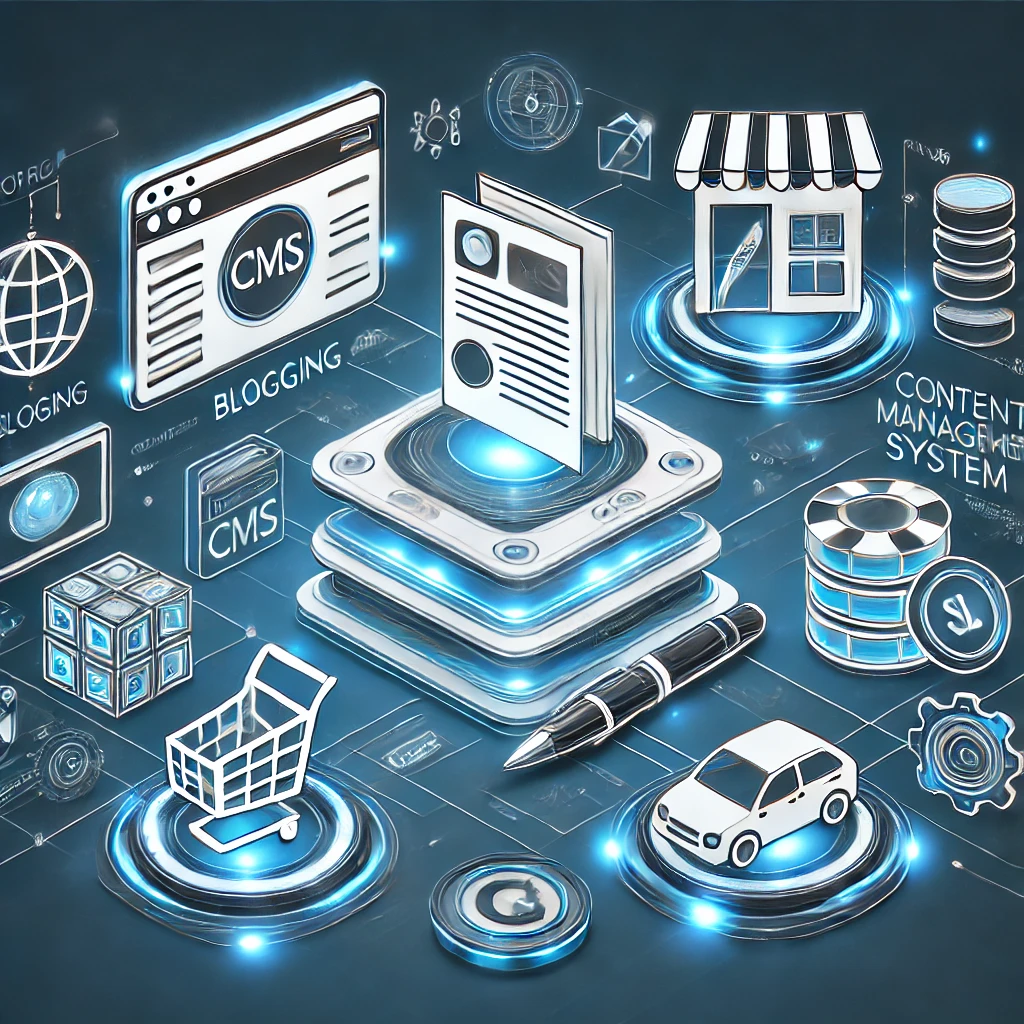
    Evaluating the Best CMS for Website Building

    So, when it comes to picking the right Content Management System (CMS), it’s kind of a big deal, right? Like, this is your first move in creating a successful website. But here’s the thing: your choice really depends on what you want to achieve online.

    Think about it. If you’re starting a blog where you share your personal thoughts, you’re gonna need a different CMS than if you were setting up a huge e-commerce site with, like, thousands of products to sell. It’s just how it works. You really need to figure out what your main goal is. Are you looking to inform people? Maybe sell something? Or just entertain and have fun? Perhaps you want to create a community? Well, whatever it is, that’s gonna guide you in choosing a CMS with the right features, flexibility, and scalability.

    So, yeah, before you dive into the sea of CMS options out there, take a moment to clearly define what your website is all about. It’s super important!

    CMS for Blogs/Content-Heavy Sites

    When you’re diving into the world of blogging or managing a content-heavy site, picking the right Content Management System (CMS) is super important. Let’s break down the pros and cons of three popular choices: WordPress, Ghost, and Medium.

    A. WordPress (Pros & Cons)

    So, WordPress is pretty much a household name in the CMS realm, and honestly, it’s for a good reason. It’s open-source, which means you can tweak it to your heart’s content. Plus, there’s an endless array of plugins and themes out there. The interface? Super intuitive. You can add and edit content without breaking a sweat, making it a go-to for bloggers and anyone with lots of content.

    But, here’s the catch: because everyone uses it, hackers often have their sights set on WordPress sites. So, you’ve got to stay sharp on security. And with so many plugins to choose from, it can feel a bit overwhelming at times. Not to mention, if you’re running a big site with loads of content, speed might become a bit of a headache.

    B. Ghost (Pros & Cons)

    Now, let’s chat about Ghost. This CMS is fresh and modern, designed specifically for bloggers and publishers. It’s got a sleek, user-friendly interface that makes content creation a breeze. And, oh boy, is it fast! If speed and performance are your top priorities, Ghost might just be your best bet.

    But, it’s not all sunshine and rainbows. Ghost doesn’t have as many plugins or integrations compared to WordPress, which could leave you wanting more functionality. If you’re someone who likes to customize everything, you might find Ghost a bit limiting in terms of design options.

    C. Medium (Pros & Cons – if considered a CMS)

    Then there’s Medium, which is more of a publishing platform, some folks say it’s a CMS for blogging. It’s got a clean, minimalist vibe that’s super easy to navigate, and hey, it even comes with a built-in audience. If you’re looking to reach a wider crowd, Medium could be a solid choice.

    But, let’s be real, it does have its downsides. Customization is pretty limited, so you won’t have much control over how your site looks. Plus, the algorithms can be a bit unpredictable, which might make it tricky to keep your traffic steady. And yes, while you can earn money through Medium’s Partner Program, making a decent income there can be a tough nut to crack.

    In the end, picking the right CMS for your blog or content-heavy site isn’t a one-size-fits-all deal. You’ve got to think about what you really need whether it’s customization, speed, security, or functionality. WordPress, Ghost, and Medium each come with their own perks and pitfalls. So, take a moment, weigh your options, and choose what feels right for you!

    CMS for E-commerce

    Alright, so when it comes to picking the right Content Management System (CMS) for your e-commerce venture, it’s a pretty big deal. You’ve got a few solid choices out there Shopify, WooCommerce, and Magento. Each one has its own perks and drawbacks, which is worth considering carefully.

    Let’s start with Shopify. This is a fully hosted platform and, honestly, it’s super user-friendly. You can set it up quickly, and the interface is pretty intuitive, making it a great choice for beginners or anyone who just wants to get things rolling fast. But here’s the kicker: it runs on a subscription model, and you’ll have to deal with transaction fees that can eat into your profits. Plus, if you’re looking to customize things a lot, you might find it a bit limiting compared to open-source options.

    Now, if you want more control, WooCommerce could be your best bet. It’s a plugin for WordPress, which means you can tap into a massive ecosystem for customization and SEO. Sounds good, right? But here’s the catch: you’ll need some technical know-how to get it up and running, and you might face issues with plugins clashing or needing maintenance. So, if tech isn’t your thing, that could be a bit tricky.

    Then there’s Magento. This platform is a powerhouse, built for larger enterprises. It’s got scalability and a ton of features for managing complex product catalogs and customer journeys. But, wow, it’s also quite complicated. You’ll need some serious technical skills and resources to keep things running smoothly, which might not be ideal for smaller businesses or those who aren’t super tech-savvy.

    So, in the end, it all comes down to what you need and your level of comfort with technology. Each CMS has its strengths, but knowing your own priorities will help you make the right choice for your e-commerce dream!

    CMS for Portfolios/Small Businesses

    So, you’re on the hunt for the perfect Content Management System (CMS) to help your portfolio or small business really shine online? Well, you’re in the right place! Let’s dive into three popular contenders: Squarespace, WordPress, and Wix. Each of these has its own perks and quirks, so it’s like picking the right tool for the job.

    First up, we have Squarespace. It’s got this gorgeous, user-friendly design that really makes website creation feel like a breeze. Seriously, it’s like everything you need is right there, all bundled up nicely. But, there’s a catch if you’re someone who loves tinkering or needs to stick to a tight budget, you might find its customization options a bit lacking and the price a bit steep.

    Then there’s WordPress. Oh man, this one is like the Swiss army knife of CMS platforms! It offers amazing flexibility and can grow with you thanks to its open-source nature. You have access to a ton of plugins and themes, which is super cool. But, here’s the thing: it does come with a bit of a learning curve. If you’re not tech-savvy, you might feel a little overwhelmed by the updates and security stuff you need to manage.

    And let’s not forget about Wix. It’s got this drag-and-drop feature that’s just so easy to use, making it a hit for beginners who want to create stunning websites without getting too bogged down in the details. But, there’s a downside once you pick a template, you’re kinda stuck with it. Plus, when it comes to SEO, it’s not exactly a powerhouse.

    So, in the end, which CMS is right for you? Well, it really boils down to what you need, how comfortable you are with tech, and what your budget looks like. Take some time to think it over. Your online presence deserves a solid foundation, and with the right choice, you can really make it shine

    CMS for Large Enterprises

    When it comes to big companies trying to make sense of today’s complicated digital world, picking the right Content Management System (CMS) is super important. Drupal really shines here, ya know? It’s got strong security features, can scale up to handle tons of traffic, and offers amazing customization options. This means organizations can create really unique and intricate digital experiences that fit their needs perfectly.

    On the flip side, there’s Adobe Experience Manager (AEM). This tool brings a whole bunch of features tailored for larger businesses. Think advanced content management, personalized user experiences, and solid marketing automation integrations. It’s all about making workflows smoother and helping brands maintain a unified presence across various channels. So, whether you lean towards Drupal or AEM, each has its own strengths tailored to meet the needs of large enterprises.

    Headless CMS Benefits

    You know, when we talk about headless CMS solutions, it’s hard not to see how they really shine compared to the old-school, monolithic CMS platforms. I mean, think about it: by separating the content repository the “body” if you will from the presentation layer, or the “head,” you get this incredible flexibility. It’s like, suddenly you can push your content out to all sorts of channels and devices. We’re talking websites, mobile apps, smartwatches, even IoT gadgets. And the best part? You don’t have to create separate content for each one. Pretty neat, right?

    This whole omnichannel content delivery thing makes life easier. It streamlines workflows and keeps branding consistent no matter where your audience is interacting with your content. Plus, for developers, it’s a game changer. They can pick and choose their favorite front-end technologies and frameworks—pretty much whatever they’re comfortable with. This freedom? It sparks innovation and really boosts user experiences.

    And let’s not forget about scalability and performance. With headless architecture, you can scale content delivery and management independently. So, as demand grows, you can adjust accordingly without missing a beat. All in all, a headless CMS is like a superhero for businesses, helping them future-proof their content strategy and adapt to the ever-changing digital world. It’s all about being ready for what’s next!

    Real Life Case Studies

    Let’s take a look at some real-world examples of companies that are really nailing it with various Content Management Systems (CMS). First up, there’s WordPress. It’s super flexible and comes with an endless array of plugins, making it the go-to choice for everything from personal blogs to huge corporate websites. A great example? TechCrunch. They’re a big player in the tech news arena, and they depend on WordPress to keep up with their massive content flow and complex publishing demands.

    Then we have The New Yorker, which takes things a step further by using WordPress VIP. This managed WordPress platform helps them create a sophisticated and visually stunning online presence. Pretty neat, right?

    Now, let’s chat about Drupal. This one’s popular with government agencies and educational institutions, mainly because it’s known for its strong security features and scalability. The White House website yep, you heard that right whitehouse.gov is a perfect example of how Drupal can handle tons of traffic while keeping everything secure.

    On the other hand, Joomla strikes a sweet balance between being user-friendly and customizable. It’s often picked by businesses that want a more organized way to manage their content. Take IKEA, for instance. They utilize Joomla to effectively showcase their product catalog and manage their online presence across the globe.

    And last but not least, we have Adobe Experience Manager (AEM). This one’s geared towards larger enterprises, offering robust digital experience management capabilities. Philips, for example, uses AEM to create personalized content experiences across various digital channels, which really helps in boosting customer engagement and keeping their brand consistent.

    So, what do these case studies tell us? Well, they really highlight the diverse ways different CMS platforms can be applied. It’s super important to choose the right system based on specific business needs. Don’t you think?

    Future Trends in CMS: AI, personalization.

    You know, when we think about the future of Content Management Systems (CMS), it’s pretty clear that they’re going to be closely linked with the rise of Artificial Intelligence (AI) and this whole hyper-personalization trend. I mean, AI is really set to change the game for how we create, manage, and deliver content. We’re talking about cool features like automatic content summarization and smart tagging, plus some pretty nifty AI tools that can help churn out content.

    But it doesn’t stop there. Personalization, thanks to AI being able to dig into user behavior and preferences, is going to go way beyond just looking at demographics. We’re looking at experiences that are truly individualized. Can you imagine? CMS platforms are likely to harness AI more and more to give us tailored content recommendations, flexible website designs, and personalized journeys for users. This could really ramp up engagement and those all-important conversion rates.

    So, yeah, this whole emphasis on AI-driven personalization? It’s going to give businesses the power to forge deeper, more meaningful connections with their audiences. And we all know how competitive things are getting out there in the digital world, right? It’s going to be interesting to see how it all unfolds.

    Wrapping it Up

    Picking the right Content Management System (CMS) is super important if you want your website or online platform to thrive. You know, it’s not like there’s a one-size-fits-all solution out there. You really gotta take a good look at what you need and what your goals are. Think about stuff like what kind of content you’re going to share, how tech-savvy you are, how much you expect your project to grow, and, of course, your budget.

    Some CMS options work really well for blogging, while others are just perfect for e-commerce or even those big, complex enterprise applications. So, do your homework check out different platforms, dig into their features, and maybe even play around with some demos. This way, you can make sure the CMS you pick really fits with how you work and what you want to achieve. In the end, it’s all about helping you manage and share your content like a pro, right?

  • Social Media Trends in 2025 A Comprehensive Analysis

    Social Media Trends in 2025 A Comprehensive Analysis

    The Creator Economy: Partnering for Authentic Engagement

    Wow, the creator economy has really taken off, hasn’t it? It’s like a whole new world for social media, and it’s changing the game for how brands do their marketing. I mean, traditional ads just aren’t cutting it like they used to. Now, it’s all about those authentic voices and personalities that people can actually relate to. Isn’t that interesting?

    Brands really need to rethink their strategies. It’s not just about putting out ads anymore. They should be teaming up with creators who already have loyal audiences, you know? It’s all about building trust through content that feels real and relatable.

    If a brand wants to succeed,especially in this fast-paced social media landscape they really need to get a grip on how the creator economy works. It’s become super important, like, essential even, for anyone looking to make an impact out there.

    Identifying and Partnering with Relevant Creators

    Finding and teaming up with the right content creators is super important if you want your influencer marketing strategy to really shine. First off, you gotta get a clear picture of who your target audience is. This means digging into their demographics, interests, online habits, and the social platforms they hang out on. Once you have that down, you’ll be able to figure out which content creators they vibe with and trust.

    Now, after you’ve got a handle on who your audience follows, it’s time to roll up your sleeves and do some serious research. And hey, don’t just stop at follower numbers; before take a deeper look at their audience demographics to see if they line up with what you’re aiming for. Also, check out their engagement rates, likes, comments, shares, you know the drill, because this will help you understand how genuine and impactful their content really is.

    And it’s not just about numbers, either. You also need to take a good look at their past content and any brand partnerships they’ve had. Do their values and style match yours? That’s key! When your brand aligns well with a creator, it makes sure your message hits home, both with their audience and your potential customers. So, it’s all about creating that authentic connection, right?

    Fostering Authentic Collaborations with Creators

    You know, when it comes to working with creators, it really all boils down to building something real something that’s rooted in respect and empowerment.

    One of the most important things? Giving creators the freedom to steer their own ship, so to speak. It’s about trusting their instincts and their artistic vision. Instead of butting in too much, brands should focus on offering helpful feedback when needed, but not dictate how things should be done. When creators feel like they own their work, that passion shines through, and it connects with people on a deeper level. This is a pretty stark contrast to those typical, transactional relationships where brand messaging takes the front seat, pushing aside the essence of artistic integrity.

    Now, if we want to build on this solid foundation, we need to think long-term. It’s all about forming partnerships that are based on trust and respect this isn’t just about one-off campaigns. It’s about keeping the lines of communication open, setting shared goals, and truly valuing what each creator brings to the table.

    Investing in these relationships means really getting to know their audience, cheering on their growth, and appreciating their insights. These partnerships can go way beyond the usual brand-influencer dynamic. They create a space where everyone can flourish and produce content that feels authentic and impactful to their shared audience. In the end, these lasting connections don’t just boost engagement; they help build a stronger brand identity that’s all about real collaboration. Isn’t that what we all want?

    social media influencer

    Measuring the Impact of Creator Marketing

    Alright, so let’s chat about something super important when it comes to creator marketing. You see, just looking at surface-level numbers is kinda like judging a book by its cover, it doesn’t really tell the whole story. We need to dig a little deeper, right?

    First off, keeping an eye on those key performance indicators, or KPIs for short, is a must. Think about reach, for instance. It’s all about how many eyes are actually seeing your content. Then there’s engagement, that’s where the fun stuff happens! Likes, comments, shares, you name i, these interactions show that the audience is really interested. And of course, let’s not forget conversions.

    This is where the magic happens; it’s when viewers take those desired actions- like clicking over to your website, making a purchase, or signing up for something cool. By tracking all this, businesses can really figure out what’s working and what’s not when it comes to their partnerships with creators. It’s all about refining those strategies to get better outcomes.

    Analyzing the ROI of creator marketing campaigns

    Now, let’s talk ROI, return on investment. This part is crucial, folks. You want to make sure that the money you’re putting into creator marketing is actually worth it, right? So here’s the deal: you need to calculate how much return you’re getting from your campaign against what you spent. That includes everything from creator fees to how much it costs to produce the content and manage the whole thing.

    And guess what? When you stack up the ROI from creator marketing against other channels, you can really make some smart choices about where to put your resources. It’s all about ensuring that your investments in these influencer partnerships are not just good vibes but actually lead to a solid, measurable return.

    So, in a nutshell, measuring the impact of creator marketing is all about being strategic and thoughtful. It’s not just about the likes; it’s about understanding the whole picture!

    Supporting the Growth of the Creator Economy

    When it comes to really backing the creator economy, we’ve got to think about it from multiple angles. At the heart of it all? Fair pay and solid support systems. Seriously, paying creators what they truly deserve for their work isn’t just the right thing to do , it shows that we value their creativity, sparks more innovation, and helps them keep doing what they love to do.

    So, how can we make that happen? Well, for starters, we could use clear pricing models and establish royalty agreements that actually reflect the hard work creators put in. And let’s not forget about making direct payment options available , this way, we can cut down on those pesky fees and help them earn what they’re worth.

    But wait, there’s more! It’s not just about the money. Creators also need the right tools and resources to really grow and thrive. Think about it: having access to educational materials covering everything from content creation to marketing, and even the ins and outs of business management. Plus, mentorship programs could be huge pairing up seasoned creators with newbies can really help the latter find their footing. And we definitely need platforms that make it easier for creators to be discovered and to build communities.

    So, if we put our money where our mouth is and invest in fair compensation alongside comprehensive support, we can create a vibrant and sustainable creator economy. And that? Well, it’s a win-win for both creators and the audiences who enjoy their work. Isn’t that what it’s all about?

    Wrapping It Up

    So, when we wrap things up, it’s clear that the creator economy is really shaking things up. It’s become this amazing way for brands to connect authentically and tell stories that actually matter. You see, when brands team up with creators, they can reach these vibrant communities that are all about trust and real connections. And let’s be honest, traditional ads just can’t compete with that kind of engagement.

    This teamwork? It’s not just about slapping a logo on something and calling it a day. No way! It’s about blending brand messages into stories that hit home, stories that people can relate to. This shift is pretty cool because it turns consumers who used to just passively consume stuff into active players in the brand’s journey.

    So, in a nutshell, the creator economy is like this golden ticket for brands. It’s a chance to forge real relationships, spread their message far and wide, and build a loyal fanbase that’s genuinely excited about what they have to offer all through content that feels real and engaging. Isn’t that inspiring?

  • AI Powered SEO Domination: How to Win in 2025

    AI Powered SEO Domination: How to Win in 2025

    In this fast-paced digital world we live in, AI powered SEO is really starting to stand out as a game changer for getting noticed online and boosting that all-important organic traffic. So, what’s the deal with AI-powered SEO? Well, it’s all about using smart machine learning algorithms and natural language processing to fine-tune different parts of search engine optimization. Think about it: everything from figuring out the right keywords and whipping up great content to building links and doing technical checks AI can help with all of that.

    Now, let’s not kid ourselves; SEO is crucial. It’s the backbone of a strong online presence, helps pull in potential customers, and can seriously impact your business goals. If you want to get ahead, you’ve got to wrap your head around effective AI-driven SEO strategies.

    This article? It’s designed to give you a solid look at how you can tap into AI’s power to supercharge your SEO game. We’ll be diving into some actionable tips and practical tricks that you can easily weave into your digital marketing efforts. So, let’s get started, shall we?

    Understanding AI in SEO

    You know, Artificial Intelligence (AI) has really become a game changer in the world of Search Engine Optimization (SEO). It’s amazing how it’s reshaping the way we optimize websites and how search engines actually understand and rank the content we put out there. So, when we talk about AI in SEO, we’re looking at computer systems stepping in to handle tasks that usually need a human touch like learning, solving problems, and making decisions all with the goal of boosting a website’s visibility in search results.

    Current trends and technologies shaping AI in SEO 

    Right now, there are some pretty cool trends and tech that are influencing how AI is playing out in SEO. Take machine learning (ML), for instance. It’s this fascinating capability that allows systems to learn from data without needing specific programming. This means we can dive into huge sets of data about user behavior and search patterns. This helps us make more accurate predictions and gives us personalized search results.

    And then there’s Natural Language Processing (NLP), which is super important! It enables AI to really get a grasp on human language, making it easier to understand what people mean when they type in search queries and what the content on websites is really about. All of this? It’s giving SEO experts a chance to dig deeper and finetune their strategies like never before.

    ai powered SEO

    Now, let’s talk about AI’s role in data analysis and predictive modeling this part is huge! AI algorithms can go through tons of SEO data, spotting patterns and connections that, honestly, would be pretty much impossible for a human to catch manually. Plus, these algorithms can create predictive models that forecast future trends in search behavior, keyword popularity, and even those pesky algorithm updates. This means SEO experts can get ahead of the game and prepare their strategies as needed. It’s all about being proactive! With this data-driven approach, businesses can make smarter choices, fine-tune their content to be more relevant, and, in the end, boost their rankings in search engines. Isn’t that just inspiring?

    The Future of SEO: 2025 and Beyond

    Artificial Intelligence (AI) has undoubtedly become a game changer in the world of Search Engine Optimization (SEO). It’s definitely reshaping how we optimize websites and how search engines figure out what content deserves a top spot. Basically, when we talk about AI in SEO, we’re referring to using computer systems to tackle tasks that usually need human smarts like learning, solving problems, and making decisions all to help a website stand out in search results.

    Right now, there are a bunch of trends and technologies that are really influencing how AI plays into SEO. Take machine learning (ML), for instance. It’s pretty amazing how it can learn from data without needing detailed programming. This capability is being used to analyze huge amounts of data on user behavior and search patterns, which leads to more accurate predictions and personalized search experiences. Then there’s Natural Language Processing (NLP), which helps AI understand and interpret human language. This is super important because it allows AI to catch the intent behind what people are searching for and the actual meaning of web content. With these tools, SEO experts can dig deeper and fine-tune their strategies like never before.

    And, let’s not forget the significant role AI plays in analyzing data and predicting trends. These algorithms can drive through tons of SEO data, spotting patterns and connections that would be nearly impossible for us humans to see on our own. Plus, AI unquestionably can create predictive models that help forecast future trends in search behavior, keyword popularity, and even algorithm changes. This proactive approach means SEO professionals can prepare their strategies before trends even hit. It’s all about making smart, informed decisions to optimize content, keeping it relevant, and ultimately boosting those search engine rankings. Isn’t that inspiring?

    Strategies for AI-Powered SEO Domination

    So, if you’re looking to really dominate in the world of AI-powered SEO, you’ll need to have a well-rounded approach. Start by diving into some AI tools that can help with keyword research and creating content. It’s not just about finding any old keywords; you want the ones that might be hidden gems and can give you an edge. So, get your hands on some recommended software that can spot those opportunities and keep tabs on search trends.

    Now, integrating AI into your SEO game plan is super important too. You’ll want to set some best practices in place. Think about using AI for whipping up content outlines or fine-tuning the stuff you’ve already got out there. And let’s be real-quality content that really connects with your audience? That’s where the magic happens. AI can step in here as well, helping you figure out how readable your content is and what kind of emotional tone it has, making sure it really engages users.

    But hey, don’t forget about the human touch! Storytelling and authenticity are key. AI should be there to boost your efforts not replace the creativity and personal flair that only humans can bring to the table.

    Last but not least, building a strong backlink strategy is essential. You can use AI to sniff out high-quality link opportunities by analyzing what your competitors are doing and keeping an eye on industry trends. Plus, it can help you manage your backlink profiles, flagging any sketchy links and giving you the data you need to reach out effectively. So, don’t underestimate the power of combining AI insights with the human element, it’s a winning combo!

    Building a Future-Ready SEO Team

    Crafting a future ready SEO team in today’s ever-changing digital world, it’s no small feat. It really calls for a thoughtful pivot toward embracing artificial intelligence, not to mention nurturing a mindset that thrives on continuous growth. We’re talking about putting together a team that’s got the right mix of skills. Think about people who are savvy with AI tools, can analyze data like pros, understand technical SEO inside and out, and know how to optimize content. And, let’s not forget about the importance of communication and teamwork those are crucial too!

    Continuous learning and adaptation in the fast-paced digital landscape

    Now, as the landscape evolves, some key roles might shift or emerge. We’ll likely see positions like AI SEO Strategists, Machine Learning Specialists, and Data Visualization Experts becoming more prominent. These folks will need to work hand in hand, using AI to dig deeper into insights and boost performance.

    But here’s the kicker: to really flourish in this fast-paced environment, we can’t just sit back and relax. Continuous learning and adaptation? Absolutely essential! SEO pros have to stay on top of the latest algorithm changes, AI breakthroughs, and new technologies. This means diving into ongoing training, hitting up industry conferences, and getting involved in online communities. By taking this proactive stance, the team can remain flexible and ready to tackle whatever shifts come their way.

    At the end of the day, building a future-ready SEO team is all about creating a vibe of innovation and experimentation. It’s vital to motivate team members to try out fresh strategies, think outside the box, and take smart risks. That’s how we’ll uncover those game-changing techniques that really drive organic growth. And it’s so important to foster an environment where learning from both wins and losses is the norm, turning those bumps in the road into insights that help push the team ahead. So, are we ready to embrace this journey together?

    Case Studies of Successful AI-Driven SEO Implementations

    AI isn’t just some sci-fi concept anymore when it comes to Search Engine Optimization (SEO). Nope, it’s right here, making waves and helping brands achieve some pretty amazing results. There are quite a few case studies out there that really show how transformative AI can be for SEO strategies. Take, for instance, a big e-commerce retailer. They decided to tap into AI to sift through tons of keyword data, spot new trends, and even tweak product descriptions and meta tags automatically. Guess what? They saw a huge jump in organic traffic and their conversion rates shot up.

    And then there’s this media company that got smart about it too. They used AI-driven tools to personalize news articles according to what users actually like. The outcome? Better engagement and, of course, higher rankings in search results. These examples really highlight how AI can take care of the boring stuff, give us some serious insights, and at the end of the day, make for a better experience for users, which is a win for SEO.

    Key takeaways and lessons learned from these case studies

    So, what are the main things to take away from these AI-driven SEO success stories? Well, first off, data is absolutely crucial. You gotta have a solid base of well-analyzed data to build successful strategies. Next up, automation is super important. AI can handle those repetitive tasks, which gives human experts more time to think creatively and plan strategically. Then there’s personalization tailoring content to what individual users want can really boost engagement and improve rankings. And let’s not forget about continuous learning. AI models need to be updated and refined regularly to keep up with changing search engine algorithms and user behavior.

    All in all, these case studies really highlight the need for a data-driven, automated, and personalized approach to SEO. By harnessing the power of AI, brands can unlock some pretty significant and lasting results. Isn’t that just inspiring?

    Last Thought

    So, let’s wrap this up, shall we? The way AI is changing the game for SEO? It’s pretty hard to ignore. Seriously. Whether it’s whipping up content, optimizing it, diving into predictive analytics, or crafting those personalized experiences for users AI is opening up a world of opportunities. It’s all about boosting visibility and driving that sweet organic traffic. And you know what? It’s really time to jump on this bandwagon and adjust your strategies as the digital landscape keeps shifting. As we head toward 2025 and aim for that SEO supremacy, keep in mind that using AI isn’t just a nice perk anymore; it’s kind of a must-have.

    So, here’s the deal: we’re calling on you to start using AI-driven SEO strategies right now. Go on, take a look at the tools and techniques we’ve chatted about, play around with different methods, and don’t forget to tweak your tactics based on what the data tells you. The future of SEO isn’t coming it’s already knocking at the door. And those who choose to embrace AI? Well, they’re going to be the ones who really shine in the years to come. Let’s get to it!

  • Domain Authority: Your Key to Online Success

    Domain Authority: Your Key to Online Success

    Importance of Understanding Domain Authority

    In the fast-changing world of digital marketing, getting a grip on Domain Authority (DA) is super important if you wanna boost your website’s visibility and climb those search engine rankings. So, what exactly is DA? Well, it’s a metric created by Moz that pretty much shows how authoritative your website is and how likely it is to show up high on search engine results pages-those SERPs we all talk about.

    Now, here’s the thing: usually, the higher your DA score, the better your chances are of performing well on search engines. This makes DA a key player for businesses that are looking to draw in organic traffic, snag leads, and really hit those online targets they’ve set.

    In this article, we’re gonna dive deep into why DA matters. We’ll look at how it’s calculated, the various factors that can sway it, and some practical tips on boosting your website’s DA. Plus, we’ll lay out a simple step-by-step guide for using DA effectively. This way, you’ll be armed with all the knowledge you need to harness this metric and really amp up your SEO strategy.

    By the time you finish reading this guide, you’ll have a solid understanding of Domain Authority and how to use it to make your website perform even better. So, let’s get started, shall we?

    Importance of Domain Authority in SEO

    So, let’s talk about Domain Authority, or DA for short. It’s this ranking score created by Moz that gives us a pretty good idea of how well a website might perform on search engine results pages, or SERPs. The DA score can range from 1 all the way up to 100. Basically, the higher your score, the better your chances of ranking well. You could think of it like a credit score for your website – a high score suggests that your site is seen as more trustworthy and authoritative by search engines like Google.

    Calculating Domain Authority isn’t exactly a walk in the park. It takes a deep dive into various factors, like how many different websites are linking to yours (those are your linking root domains), the quality of those links, along with the overall MozRank and MozTrust of your site. Plus, there are other factors at play that can influence how visible you are in search engines. Moz employs a machine learning algorithm to keep fine-tuning these calculations, making sure that the DA reflects your site’s ranking potential as accurately as possible. And here’s a little tip: since DA operates on a logarithmic scale, it’s way easier to bump your score up from 20 to 30 than it is to go from 70 to 80.

    Now, when it comes to SEO, understanding Domain Authority is super important if you want to boost your website’s organic visibility. Even though Google doesn’t directly factor DA into its ranking system, it’s still a helpful benchmark for gauging how your site stacks up against the competition and for keeping track of your SEO efforts over time. A higher DA can signal better search engine rankings, more organic traffic, and a stronger brand image.

    If you want to improve your DA, focus on strategies like getting high-quality backlinks, crafting engaging content, and optimizing your website’s structure. By doing these things, you can really strengthen your online presence and see some solid results in your search engine rankings over the long haul. Well, it’s all about putting in the effort and watching your site grow!

    Understanding Page Authority and Domain Authority

    So, let’s talk about Page Authority (PA) and Domain Authority (DA)-two pretty important metrics that Moz came up with to help us figure out how well a specific page (that’s PA) or a whole website (yep, that’s DA) might rank in search engine results, or SERPs for short. Now, even though both of these scores give us an idea of ranking potential, they focus on different things when it comes to a site’s overall authority.

    Page Authority is like taking a closer look at just one webpage. It considers stuff like how many backlinks that particular page has and how good they are. You can think of it like checking out a research paper and seeing how often it gets cited by others.

    On the flip side, Domain Authority looks at the big picture. It evaluates the overall strength and trustworthiness of an entire site. It takes into account several factors, such as the total number of backlinks pointing to the domain, the quality of those links, and even how long the domain has been around. Basically, it gives you a well-rounded view of a website’s authority, kind of like assessing the reputation of a whole university.

    Now, here’s the interesting part: PA and DA, while they’re different, are very much connected. If a website has a strong Domain Authority, it usually helps the individual pages on that site score higher in terms of Page Authority. Think of it this way: a well-respected site is like a sturdy foundation for its pages to shine. But, here’s the kicker- even a page on a not-so-great domain can still pull off a decent Page Authority if it has a solid strategy for link building and creates high-quality content. This really shows that focusing on making individual pages top-notch can pay off, even if the overall domain isn’t super strong.

    At the end of the day, both of these metrics give us valuable insights about how visible a website might be in search engines. So, when you’re crafting your SEO strategies, keeping both in mind can really help you make the most of your efforts. It’s all about understanding the landscape and making your mark!

    Understanding Page Authority and Domain Authority – Key differences

    Now, let’s dive into Page Authority (PA) and Domain Authority (DA). These two key metrics, created by Moz, are all about predicting how well a certain webpage (that’s your PA) or an entire domain (that’s your DA) will do in search engine results pages, or SERPs for short. They both want to give you a sense of ranking potential, but they’re looking at different things.

    Domain Authority is like the overall power of your whole website. It looks at stuff like how many backlinks you’ve got and how good they are. On the flip side, Page Authority takes a closer look at just one webpage. It checks out how well that page is optimized and its link profile. You could say, DA is like the reputation of the entire building (your website), while PA is all about how attractive and inviting a specific apartment (webpage) looks.

    Now, here’s the interesting part-PA and DA are connected in a big way. A strong DA can really help individual pages perform better. If your website has a high DA, it probably has a solid backlink profile, which can give a nice boost to the PA of those individual pages. On the other hand, if you work on building strong PA for your key pages, that can actually help raise your overall DA over time. It’s a bit of a cycle, really.

    While PA gives you a glimpse of how a specific page might stack up against others, DA paints a broader picture of your site’s authority and its standing in the competitive landscape of the web. In the end, both of these metrics are super useful for crafting your SEO strategies and measuring how effective your link-building is. So, keep them in mind-they’re your allies in the digital world!

    Factors Affecting Domain Authority

    So, let’s chat about Domain Authority, or DA for short. It’s this ranking metric, you know, created by Moz that tries to predict how well a website is gonna perform on those search engine results pages—what we call SERPs, right? Quite a few things can affect your DA score, and it’s pretty interesting.

    First off, let’s talk about backlinks. These are super important! The quality and quantity of your backlinks really matter. When you get high-quality links from well-respected websites, it tells search engines, “Hey, this site knows what it’s talking about.” So, the more of those solid backlinks you rack up, the better your DA will probably be.

    Now, another thing to keep in mind is the age of your domain. Older domains tend to have a bit of an edge. Why? Well, they’ve had more time to build up their credibility and link profile over the years. But here’s the catch: just being old isn’t enough. You’ve gotta keep your site active and ensure it maintains its quality.

    Content also plays a huge role. You want to create valuable and relevant content and keep it fresh. When you update your site regularly, it sends the message to search engines that you’re a dynamic place to visit-kind of like a go-to resource for information, you know?

    Oh, and let’s not forget about social signals. Things like shares, likes, and comments on social media can really help your DA too. They boost your visibility and drive more folks to your site.

    Lastly, you gotta think about user experience and how your website is structured. A site that’s easy to navigate, loads quickly, and is user-friendly encourages visitors to stick around longer and check out more pages. This kind of engagement can really enhance how search engines view your site’s value.

    So, all in all, it’s a mix of backlinks, age, content, social interaction, and user experience that can help lift your Domain Authority. Isn’t that fascinating?

    How to Check Domain Authority

    So, checking Domain Authority, or DA for short, is pretty important if you want to get a grasp on how strong a website is and how well it might rank. There are quite a few tools out there that can help you measure DA. Moz’s Link Explorer is, like, the big name in the game, but you also have options like Ahrefs’ Domain Rating and Semrush’s Authority Score. Each of these tools uses its own algorithms and data, but they all aim to give you a score that shows how a website stacks up against others online.

    Now, when you’re looking at these results, keep in mind that DA works on a logarithmic scale from 1 to 100. What does that mean? Well, it’s way easier to bump your DA from, say, 20 to 30 than it is to go from 70 to 80. And, you know, what constitutes a “good” DA score really depends on your niche and the competition you’re up against. Something that might seem high in one area could be just average in another. So, rather than stressing about hitting a perfect score, try to focus on improving your DA in relation to your competitors.

    A higher DA usually signifies a website that’s seen as more authoritative and trustworthy, which can lead to better visibility in search engines, improved rankings, and, ultimately, more organic traffic. But here’s the kicker-DA is just one piece of the puzzle. For long-term success, you really need a well-rounded SEO strategy, one that includes top-notch content, solid technical optimization, and a strong backlink profile. So, keep pushing forward!

    Steps to Increase Domain Authority

    Alright, so let’s talk about boosting your domain authority (DA) – it’s super important if you want your website to shine and rank higher in those search engine results. But, just so you know, it’s not something that happens overnight. Nope, it takes some steady effort in a few key areas to really make a difference.

    First up, let’s chat about backlinks. These are like little votes of confidence coming from respectable and relevant sites. The more quality backlinks you have, the better! Then, there’s the whole creating content thing. You want to consistently churn out relevant stuff that really speaks to your audience—what they need, what they care about. This not only draws visitors in but also tells search engines, “Hey, this site is worth checking out!”

    And hey, don’t forget about user experience! A clean, easy-to-navigate website is crucial. If your visitors can find what they’re looking for without feeling lost, they’re more likely to stick around and dig deeper into your content. Also, internal linking is a biggie. By linking related pages together, you help search engines figure out what your content is all about while also sharing that precious link juice around.

    Lastly, let’s not overlook social media. It can really help spread your content far and wide, driving more traffic back to your site and boosting your authority even more.

    So, by rolling up your sleeves and consistently putting these strategies into practice, you’ll find that, over time, your domain authority can really start to climb. Just keep at it, and you’ll see your website’s performance improve!

    Common Mistakes to Avoid When Improving Domain Authority

    When you’re looking to boost your domain authority (DA), you really gotta think strategically. There are some common traps out there that you’ll want to avoid at all costs. For starters, many folks make the mistake of zeroing in on just the number of backlinks. You know, they chase after any link they can find, without caring about where it comes from. But, here’s the kicker-this can lead to some toxic or irrelevant links that could actually hurt your DA instead of helping it.

    Then there’s the issue of content. Publishing duplicate stuff or just plain low-quality content is another big no-no. Search engines, they really love unique and valuable content. So, it’s super important to put some time into creating well-researched and original articles. Trust me, it pays off!

    Now, let’s not forget about user experience (UX) and mobile optimization, okay? If your website is slow and clunky, and it just doesn’t play nice on mobile devices, you can bet that visitors will bounce away. And when that happens, your ranking? Yeah, it’ll take a hit.

    Oh, and one last thing—don’t overlook the technical side of SEO. Stuff like site speed, proper indexing, and structured data are crucial. If search engines can’t crawl your site effectively, they won’t understand it well, which can totally limit your DA potential. So, keep these things in mind, and you’ll be on the right track.

    Monitoring and Tracking Domain Authority Progress

    Keeping an eye on your Domain Authority (DA) progress is super important if you want to really gauge how well your SEO efforts are panning out. It’s not just about checking in on your DA score now and then—there’s a bit more to it, right?

    First off, you gotta do regular check-ins. I mean, don’t just peek at your DA once and think, “That’s good enough.” Try to set up some kind of schedule, maybe monthly or even quarterly, so you can spot any trends or patterns. That way, you’ll get a clearer picture of whether your hard work is paying off or if there are any dips that you need to tackle.

    Also, let’s talk about setting goals. It’s super important to keep them realistic. I mean, if you’re hoping to leap from a DA of 10 to 50 in a month, you might want to rethink that. Look at where you currently stand, how competitive your niche is, and what resources you’re actually ready to put in. It’s way more manageable to aim for gradual improvements instead of trying to make a giant leap.

    And, hey, don’t forget to adjust your strategies as you go along. If your DA isn’t budging like you thought it would, take a good look at what you’re doing. Are you getting those quality backlinks? Is your content something people want to share? Be open to changing things up-whether that means exploring different link-building tactics, spicing up your site content, or switching up your keyword targets. This whole back-and-forth process is really what will drive long-term growth for your DA. So, keep it flexible and responsive!

    Wrapping it Up

    In conclusion, this article has explored the multifaceted concept of domain authority, outlining its key measurement metrics, the factors that influence it, and actionable strategies to enhance it. We’ve examined the importance of high-quality content, a robust backlink profile, technical SEO optimization, and user experience in building a strong and reputable online presence. Remember that building domain authority is not a quick fix, but rather a long-term, ongoing process. Therefore, we encourage you to continuously experiment, learn, and adapt your strategies based on data analysis and industry trends. Embrace the journey of continuous improvement and learning about domain authority, and watch your website flourish in the competitive digital landscape.