

How to build your first website ?
If you’re starting from zero, this guide will help you take small, calm steps – without feeling overwhelmed or lost in a sea of buttons, plugins, and templates.
We’ll cover:
- the tools that make your life easier
- how to optimize images so your site doesn’t crawl
- the pages you actually need (and which ones you don’t)
- how to write your home page without sounding robotic
- why it’s okay for your website to feel empty at first
Think of this as your hand-holding, coffee sipping, “you’ve got this” guide 🤍
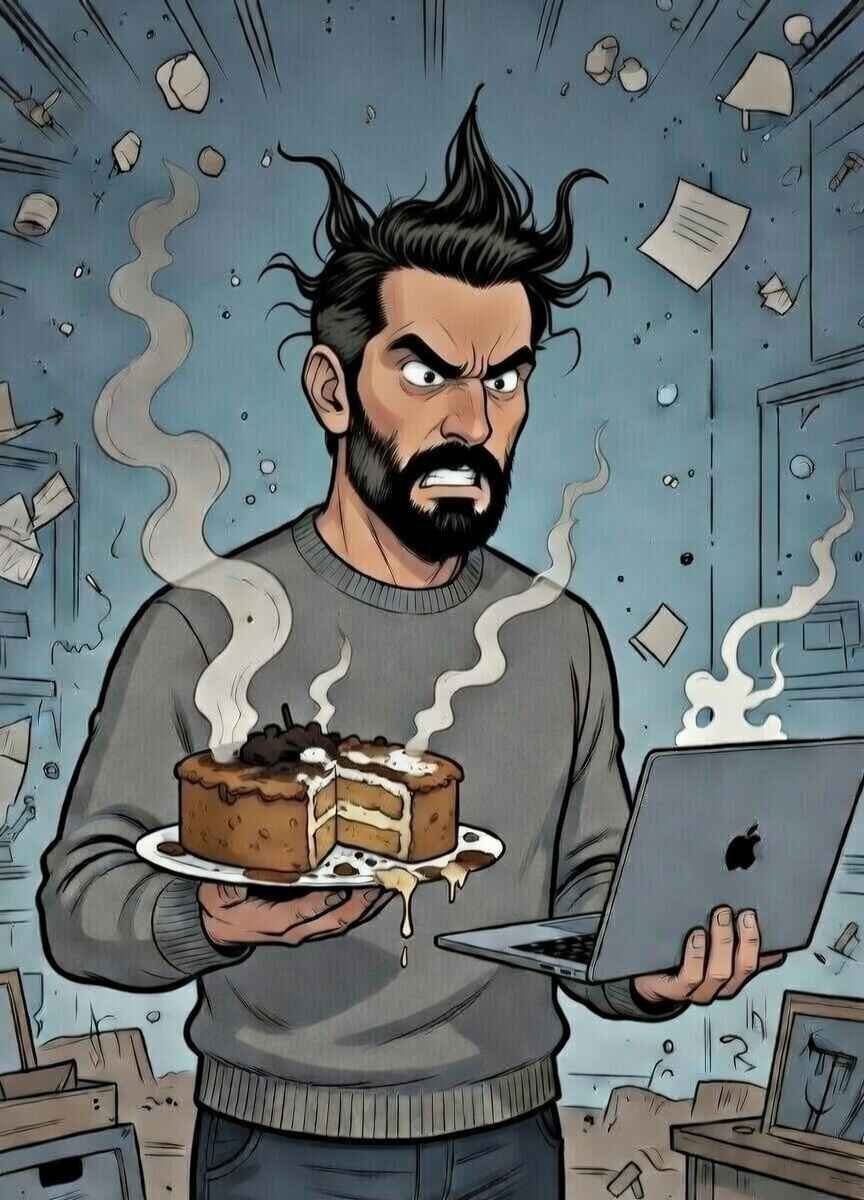
How to build Your First Website (Or: The Cake That Lied to You 🎂)
Creating a website is like baking your first cake ,messy, confusing, but eventually delicious.
Everywhere you hear:
“It’s easy.”
“It’s simple.”
“It takes 5 minutes.”
Let’s be honest for a second.
No.
It doesn’t.
Even if you have technical knowledge, building a simple website takes at least one full day. And if you don’t? It takes patience, coffee, and a few moments of questioning your life choices 😅
“But AI Can Build a Website for Me!”
Yes. It can.
And it will probably do a good job.
But ask yourself this:
Will it feel like your website?
It’s a bit like ordering home decor online from a company you’ve never spoken to. The furniture might be beautiful. The colors might match.
But will it feel like home?
One in a million chance.
Are you that lucky? 😂
No? I thought so.
That’s why the best approach is:
- either build your website yourself, step by step
- or let someone build it for you after you clearly explain what you want
Your website should feel like you, not like a random template that landed in the wrong house.
Let’s Assume You’re Building It Yourself
Now, before anyone panics -no.
I’m not going to tell you to learn coding.
If words like HTML, CSS, JavaScript sound to you like:
“the validity of quantum physics in the structural universe” -welcome to the club 😂🤣
Sometimes I’m so smart I don’t understand myself either.
So… no coding.
Choosing a Platform (Without Breaking Your Brain)
For beginners, the best option is WordPress.
Why?
- It has many free themes
- Thousands of plugins
- You can start small without spending much money
- And when your business grows, WordPress grows with you
When you’re starting a business, you count every cent (or dirham), and WordPress respects that.
Before You Build Anything (One Important Step)
Before designing pages or choosing colors, you need two things:
- A domain name (your website address)
- A hosting (the place where your website lives)
My honest advice?
Buy both in one place. It’s easier, faster, and saves a lot of frustration.
Personally, I recommend Hostinger:
- It’s beginner-friendly
- It has WordPress installation built-in
- You don’t need to jump between different platforms
- Less stress, more progress
Click, install, breathe.
A Gentle Reminder Before We Continue
Your first website doesn’t have to be perfect.
It doesn’t need to impress everyone.
It just needs to:
- exist
- feel like yours
- and get better with time
And it will. I promise.
Beginner Tools (So You Don’t Feel Lost)
Before we go any further, let me say this clearly:
You do not need all the tools.
You do not need them right now.
And you are allowed to learn one thing at a time.
These tools are here to make life easier, not more complicated.
Domain & Hosting (Your Website’s Address and Home)
What it’s for:
This is where your website lives and how people find it.
Beginner-friendly choice:
- Hostinger
You can buy:- domain
- hosting
- and install WordPress in one place
Less jumping around. Less “where did I click?” moments.
Good for:
✔ first websites
✔ small businesses
✔ people who don’t want drama
Themes (How Your Website Looks)
What it’s for:
A theme is like choosing the style of your house before decorating it.
Good beginner options:
- Astra
- Hello
- Blocksy
They are:
- free (with paid upgrades if you ever want more)
- light and fast
- easy to change later
Important reminder:
You’re not marrying your theme.
You can change it. Breathe
Page Builders (Move Things Without Coding)
What it’s for:
This lets you drag things around instead of touching code.
Beginner-friendly choice:
- Elementor (free version)
You can:
- add text
- add images
- move sections
- see changes instantly
If you can use Canva, you can use this.
Image Optimization (Make Your Site Faster)
What it’s for:
Large images = slow website.
Slow website = visitors leaving quietly.
Easy options:
- TinyPNG / TinyJPG (online, free)
- Smush or ShortPixel (WordPress plugins)
This is one of those “small effort, big difference” things.
Safety & Backup (Because Things Happen)
What it’s for:
Protect your website and save a copy in case something breaks.
Beginner-safe options:
- UpdraftPlus (backups)
- Wordfence (basic security)
You don’t need to become paranoid.
You just need a seatbelt.
Writing Help (If Words Feel Heavy)
What it’s for:
Helping you write clearer, friendlier text.
Helpful tools:
- Grammarly – for clarity
- Notion / Google Docs – for planning pages
Write like you talk.
Edit later. Always.
One Last Thing (Very Important)
Tools don’t build websites.
People do.
Tools are just helpers.
If today you only:
- bought a domain
- installed WordPress
- and looked at your empty dashboard
That’s already progress.
Your website is not late.
It’s being born.
Images: Why Your Website Is Slow (And It’s Not Your Fault)
Let’s talk about images.
Because they are lovely… and also a little dramatic.
Most first-time website owners don’t know this:
Images are the number one reason websites feel slow.
Not the platform.
Not the hosting.
Not “bad luck”.
Just… images that are too heavy.
Think of it like this:
You invited guests to your house, but before opening the door, you’re trying to carry ten suitcases at once.
Of course it takes time 😅
That’s exactly what happens when someone opens your website and all images rush in together, unprepared.
“But My Images Look Fine?”
Yes. They look fine.
But behind the scenes they might be:
- taken directly from a phone (very large files)
- downloaded from a camera (even larger)
- uploaded without any preparation (website panic)
Your visitor doesn’t see the image problem.
They feel it.
They click – wait – wait a little more – leave.
And no one tells you why.
The Good News (Take a Breath)
You do not need to learn design.
You do not need technical skills.
You do not need expensive software.
You just need to make images a little lighter before putting them on your website.
That’s it.
No magic. No stress.
Helpful Tools (Pick What Feels Easy)
If you want something free and simple:
- TinyPNG / TinyJPG
Upload your image – download it lighter -upload to your website.
That’s the whole process. Really.
If you use WordPress and want automatic help:
- Smush or ShortPixel
These tools quietly optimize images for you in the background — like a helpful assistant who doesn’t talk too much.
If you prefer “I don’t want to think about this again”:
- A paid image optimization plugin is worth it for peace of mind.
One click, problem solved, go drink tea
One Important Thing People Forgetq
Always check your website on your phone.
If you have to:
- zoom
- pinch
- squint
- rotate the screen
Your visitors will do the same… once.
Then they’re gone.
Your website should feel calm on mobile.
Like it belongs there.
A Gentle Reminder
Your first website doesn’t need to be perfect.
It needs to be kind to visitors.
Fast enough.
Clear enough.
Human enough.
And if your images were heavy before -congratulations
You’re officially doing what almost everyone does at the beginning.
You’re learning. That’s the point.
What Pages Your First Website Actually Needs
(And Which Ones You Really Don’t)
Let’s clear something up right now:
Your first website does not need to be big.
It needs to be clear.
Most beginners open WordPress, see “Add New Page” and think:
“Maybe I need Home… About… Services… Portfolio… Blog… Shop… FAQ… Testimonials… Press… Careers… Contact… Privacy… Cookies… Terms…”
Stop.
Breathe.
Put the mouse down 😂
More pages do not make you more professional.
They just make visitors tired.
The 4 Pages You Actually Need
Yes. Four.
Not forty.
1. Home Page (Your “Hello”)
What people expect here:
- Who you are
- What you do
- Who it’s for
- What to do next
That’s it.
Your home page is not your life story.
It’s a friendly wave and a clear sentence.
Think:
“You’re in the right place if…”
Not:
“Welcome to our innovative solutions platform established in…”
If someone stays 10 seconds and understands you — success
2. About Page (The Human Page)
This page is not about how amazing you are.
It’s about:
- why you do what you do
- who you help
- what you believe in
People don’t connect with businesses.
They connect with humans.
You don’t need awards.
You need honesty.
3. Services / What I Offer Page
Even if you offer one thing, it deserves its own page.
Explain:
- what you do
- how it helps
- what problem it solves
No complicated packages.
No buzzwords.
If your visitor thinks:
“Oh… this makes sense.”
You’re doing great.
4. Contact Page (Don’t Hide This One)
Please don’t make people search for you like a treasure hunt.
This page should be:
- simple
- clear
- easy
Email, form, WhatsApp , whatever you prefer.
Just make it obvious.
If people want to reach you and can’t, they won’t try twice.
Pages You Can Skip (For Now)
These pages are not bad — they’re just not urgent.
❌ Blog
You don’t need one on day one.
Only start when you actually want to write.
❌ Portfolio
If you have work — great.
If not, don’t panic. One example is enough.
❌ FAQ
If no one has asked you questions yet…
there is nothing to answer 😂
❌ Shop
Selling later is perfectly fine.
The Page That Confuses Everyone: Privacy Policy
Yes, you need it.
No, you don’t need to write it yourself.
Use a generator.
Add it.
Forget about it.
We don’t overthink this one.
A Friendly Rule to Remember
If a page doesn’t:
- help your visitor
- answer a question
- or guide them to the next step
You don’t need it yet.
Your website is allowed to grow with you.
How to Write Your Home Page Text (Without Sounding Like a Robot )
Let’s start with the most important truth: If your home page sounds like a robot, it’s not because you’re bad at writing. It’s because you’re trying to sound professional instead of human. And “professional” on the internet often means: long sentences big words no personality zero warmth Your visitor is not a board of directors. They are a tired human with many tabs open.
First Rule: Write Like You Talk
Before writing anything, do this:
Imagine a friend asks you:
“So… what do you do?”
You don’t answer:
“We provide innovative digital solutions tailored to diverse client needs.”
You answer:
“I help people build simple websites without losing their minds.”
That’s your home page tone.
The Simple Home Page Formula (No Creativity Required)
You only need four short parts.
1. One Clear Sentence at the Top
This is the most important text on your website.
Answer one question:
“Why am I here?”
Good examples:
- “I help small businesses build their first website — simply and calmly.”
- “Website creation for people who don’t speak tech.”
Bad example (sorry 😅):
- “Welcome to our platform offering comprehensive digital services.”
If people understand you in 5 seconds, you win.
2. Who This Is For (So Others Can Relax)
Tell people directly if they’re in the right place.
Example:
- “This is for you if you’re starting a business and feel lost with websites.”
- “Perfect for beginners who want a website that feels like them.”
This is not exclusion.
This is kindness.
3. How You Help (Keep It Simple)
No processes. No systems. No “methodologies”.
Just explain:
- what you do
- how it helps
- what problem disappears
Example:
- “I guide you step by step.”
- “I build it for you or help you build it yourself.”
- “I explain things in normal language.”
Simple = trustworthy.
4. One Clear Next Step
Your visitor should never ask:
“Okay… what now?”
Choose one action:
- Contact me
- Book a call
- Read the guide
- Start here
One button.
One direction.
Words That Make You Sound Like a Robot (Try to Avoid)
You don’t have to delete them forever — just not all at once:
- innovative
- cutting-edge
- solutions
- leverage
- seamless
- scalable
- excellence
If a word sounds like it belongs in a corporate PowerPoint, maybe it doesn’t belong on your home page 😂
A Small Writing Trick (Very Helpful)
Write badly first.
Seriously.
Open a document and write:
- too long
- too messy
- too honest
Then remove:
- half the words
- the complicated phrases
- anything you wouldn’t say out loud
What’s left is your voice.
Gentle Reminder Before You Publish
Your home page doesn’t need to impress everyone.
It just needs to make the right person feel:
“Oh… this feels safe.”
And that’s not robotic at all.
Why Your Website Feels Empty
(And Why That’s Completely Normal)
At some point, every beginner sits in front of their website and thinks:
“Is this it?”
“It looks… empty.”
“Did I miss something?”
No.
You didn’t miss anything.
You’re just early.
Empty Does Not Mean Wrong
A new website is like a new apartment:
- the walls are clean
- the rooms echo
- there’s furniture, but it doesn’t feel lived in yet
That doesn’t mean the apartment is bad.
It means no one has lived there yet.
Websites need:
- time
- visitors
- small updates
- real use
You can’t fake that on day one.
Why Comparing Makes It Worse
You look at other websites and think:
“Their site feels full.”
“Mine feels quiet.”
What you don’t see:
- years of content
- dozens of edits
- mistakes that were fixed
- pages that no longer exist
You’re comparing your beginning to someone else’s middle.
That’s not fair to you.
What Actually Fills a Website (Over Time)
Not more pages.
Not more plugins.
But:
- real questions from real people
- small improvements
- clarity
- confidence
Your website will grow because you grow.
What You Should Focus on Instead
If your website:
- works on mobile ✅
- loads reasonably fast ✅
- explains what you do ✅
- shows how to contact you ✅
Then it is doing its job.
Everything else is decoration and decoration comes later.
A Gentle Truth
Most websites don’t fail because they’re empty.
They fail because people never start.
You started.
And that already puts you ahead of most people who are still “thinking about it”.
Before You Close This Page
If your website feels empty today:
- don’t add random content
- don’t panic
- don’t copy others
Just let it breathe.
Your website is not unfinished.
It’s just new.
Your first website doesn’t need to be perfect.
It just needs to exist, feel like you, and work for the people who visit.
Take it step by step.
Use the tools.
Write like you talk.
Breathe.
Every small change, every little update, every finished page is progress.
Before you know it, your website won’t feel empty anymore – it will feel alive, just like you imagined 😄
And remember: starting is already a huge win. You did that today.
Leave a Reply