Author: dixi

  • The Last Biscuit Standoff

    The Last Biscuit Standoff

    Many of us have been in a situation where beautifully presented, delicious biscuits are placed on the table.

    It doesn’t matter whether it’s a family gathering or a business meeting.

    Everyone enjoys them. They disappear quickly.

    Except the last one.

    The last one stays.

    And somehow… it lasts.

    Like a lonely lantern on the sea, quietly igniting internal battlefields.

    All the biscuits were identical.
    They tasted exactly the same, and you know that.

    But this last one?

    The longer you stare at it, the more it feels as if secret ingredients are constantly being added. In your imagination it becomes the most delicious biscuit in the world.

    And you know the others are thinking exactly the same.

    You observe them.

    Suddenly you feel a little like Patrick Jane from the TV show The Mentalist. You begin to think you can read everyone’s mind.

    In psychology, this might be called a kind of cognitive synchronization – when several people focus on the same thing, their thoughts begin to follow the same path.

    Is this theory scientifically proven?

    Maybe.

    But it explains the situation surprisingly well.

    So you sit there and think about what to do.

    There are several possible scenarios.

    You could eat the biscuit and save everyone from tension and silent internal wars.

    But do you really want to be that hero?

    Or do you suddenly remember something your mother said when you were a child:

    “Don’t take the last biscuit. Someone else might want it more.”

    Your Mum

    Now the heroic act suddenly feels more like greed.

    Another option is diplomacy.

    You could break the biscuit in two and offer it to two colleagues.

    But what if there are more people around the table?

    Who should be chosen?

    And if you give it away completely, you may feel like you sacrificed something precious, even if you did it willingly.

    A more strategic mind might consider a different approach.

    According to the famous rule “keep your friends close and your enemies closer,” you could choose the colleague you like the least and politely encourage them to take the biscuit.

    No regret. No sacrifice.

    Deep down you know it’s the last thing you should do… but the idea is tempting.

    Most often, however, something else happens.

    You simply become tired of the internal conflict and decide to let others solve the situation.

    But they are equally tired.

    So eventually people leave the room.

    The lights go off.

    Everyone forgets.

    Almost everyone.

    The biscuit remains there like a small artifact, a silent witness to the mysterious battles people fight inside themselves.

    A monument to human politeness.

    Until someone quietly comes back.

    They look around.

    No witnesses.

    And they take the biscuit.

    And honestly?

    They will probably be the most satisfied person in the building.

    Case #03 — Biscuit

    Observation:
    Humans do not compete for the last biscuit.

    They negotiate its existence.

    Secondary observation:
    The person who takes the biscuit last
    was probably thinking about it the entire time.

    Empty biscuit plate with crumbs on a table as guests leave the room while a detective notebook and magnifying glass rest nearby.
    Evidence after the social standoff. The last biscuit has disappeared, leaving only crumbs, proof that someone eventually made the decision.
  • The Most Expensive Button on Your Website

    The Most Expensive Button on Your Website

    It’s probably not the one you think.

    It’s not your “Buy Now.”
    It’s not your “Contact Us.”
    It’s not even your pricing page.

    The most expensive button on your website is the one that makes people hesitate.

    Because hesitation costs money.

    Every time someone clicks and pauses…
    Every time someone thinks, “Wait, what happens next?”
    Every time someone closes the tab instead of continuing…

    You paid for that doubt.

    Maybe with ad budget.
    Maybe with SEO effort.
    Maybe with months of work building traffic.

    But you paid.

    The Button That Explains Nothing

    “Learn More.”

    About what?

    “Get Started.”

    With what?

    “Submit.”

    And then?

    If your button doesn’t answer a small fear in someone’s mind, it creates a bigger one.

    And confusion is expensive.

    Visitors don’t analyze.
    They react.

    If they need to decode what your button means, they leave.

    And five seconds of hesitation is already a loss.


    Traffic Makes This Worse

    If you’re running Google Ads, this becomes even more serious.

    You pay for the click.
    Someone lands on your page.
    They scroll.
    They click your button.

    And then:

    • No clear explanation of next step
    • No pricing direction
    • No timeline
    • No reassurance

    They close the page.

    You just paid for confusion.

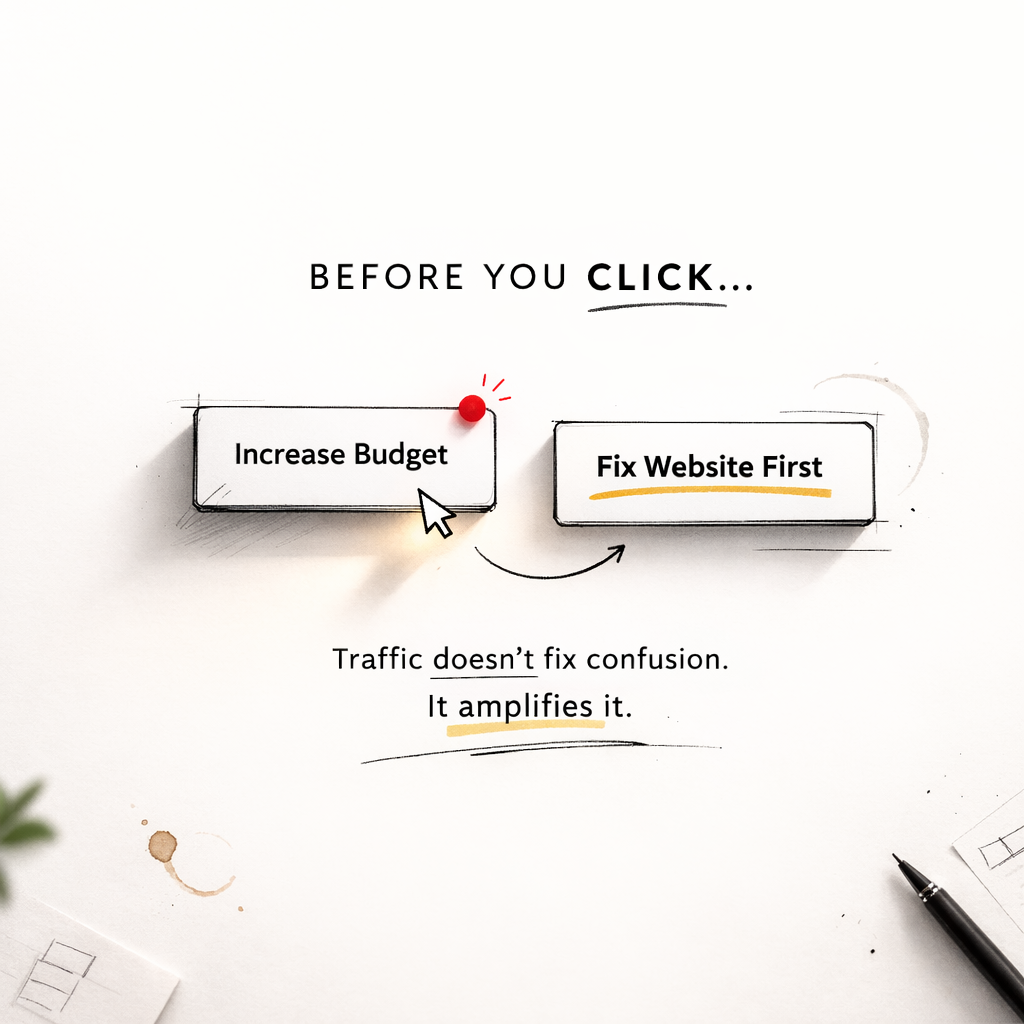
    Traffic doesn’t fix structure.
    It amplifies it.

    If your website is clear, ads accelerate growth.
    If your website is unclear, ads accelerate loss.

    Good Buttons Reduce Anxiety

    A strong button removes doubt.

    Instead of:
    “Contact Us”

    Try:
    “Get a Free Quote (No Obligation)”

    Instead of:
    “Book Now”

    Try:
    “Check Available Dates”

    Instead of:
    “Submit”

    Try:
    “Send My Request”

    Small change.
    Different psychological impact.

    Clarity lowers risk.
    Lower risk increases action.

    The Real Cost Is Invisible

    You won’t see it in analytics directly.

    You’ll just see:
    Visitors.
    Clicks.
    No conversions.

    And you might blame:
    The algorithm.
    The market.
    The economy.

    Sometimes it’s simply this:

    Your button is polite.
    But empty.

    And empty space on a paid traffic path is expensive.

    Final Thought

    Before redesigning your entire website…
    Before increasing your ad budget…
    Before changing your strategy…

    Look at your buttons.

    Are they clear?
    Or are they making people think too much?

    Because thinking too much online usually means leaving.


    Traffic amplifies structure. Fix the foundation first.

    Listen widely. Apply selectively.

  • Milk in the Fridge

    Milk in the Fridge

    There are many things that can disappear from a fridge without causing any emotional reaction.

    But there is one sentence that immediately creates concern in almost every household.

    “We’re out of milk.”

    And suddenly the panic begins.

    Discussion starts.
    Why is there no milk in the fridge?
    Who drank the last drop without saying a word?
    Who is responsible for the fact that it’s finished?

    The whole perfectly built family structure starts collapsing and it’s not about milk anymore.

    The future suddenly looks dramatic.

    Morning without coffee will ruin the whole day. Now you need to plan a strategy. Where to get coffee on the way to work? Where to park? Which coffee shop is closest? What time do you need to wake up to get there, order coffee, and still arrive at work on time?

    And what about breakfast?

    Another strategy session begins. Maybe pancakes? But pancakes also need milk.

    Think.

    Yes, there are other breakfast options, but somehow everyone in the family accepts only the one that includes milk. So you really have no choice.

    It was supposed to be a perfectly planned evening. You’re already in your comfortable pajamas. Makeup removed. The Netflix series is waiting.

    But now?

    Dress up again. Makeup again. Get in the car. Go buy milk.

    While you are in the supermarket, you suddenly remember that there are about fifty other things missing in your house.

    Two hours later you leave the shop with a full basket.

    When you get back home, it’s already too late to unpack everything. Straight to bed. The good thing about Netflix is that you can watch it anytime.

    But you wanted to watch it today. Yesterday and the day before and many days before that something always happened in the evening.

    Today was supposed to be the day.

    It was also supposed to be a perfect evening for a slow conversation with your husband. Instead, there was drama, and now you probably won’t talk for three days.

    All because of one simple thing.

    There was no milk in the fridge.

    Another scenario involving milk is when you suddenly discover there is no milk exactly when a guest asks for it.

    This is a truly awkward moment.

    First, you must confess that you are not well organized enough to keep milk in the house. Your image of a perfect host suddenly collapses. Perhaps your friendship will collapse too.

    Your guest politely says black coffee is perfectly fine.

    But you are already in strategy mode.

    Quick decision: jump in the car, buy milk, come back.

    But how can you leave someone alone in your house? Maybe you ask them to come with you.

    The trip to the shop and back takes just enough time for your guest to say:

    “Actually, I should go. It was really nice seeing you.”

    And now you feel like you disappointed them so badly they may never visit again.

    Lesson learned the hard way.

    From this moment on, there will always be milk in your house.

    Not one carton.

    Three minimum.

    Milk in the fridge.
    Milk in the cupboard.
    Milk in the pantry.

    And not just one kind of milk.

    Every possible kind:

    Oat milk.
    Vanilla milk.
    Lactose-free milk.
    Full-fat milk.
    Low-fat milk.
    No-fat milk at all.

    Because your guests might prefer different types.

    Milk, after all, is clearly the foundation of family civilization.

    Case #02 Milk
    Investigation complete.
    Conclusion:
    Civilization does not run on electricity.
    It runs on milk in the fridge.


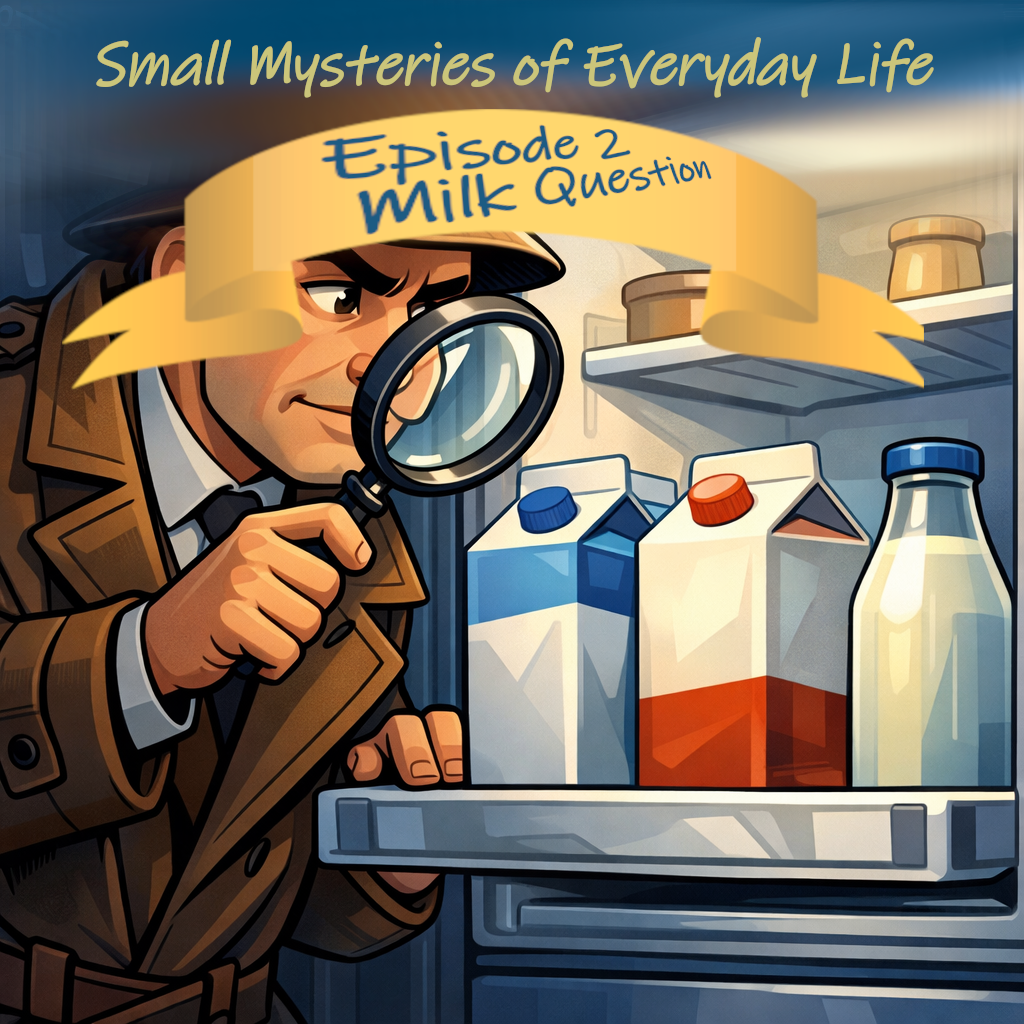
    Cartoon detective examining milk cartons inside an open refrigerator with a magnifying glass.
    The moment of discovery. The investigation reveals an unexpected constant in almost every household: milk in the fridge.
  • The Curious Case of Missing Supermarket Window

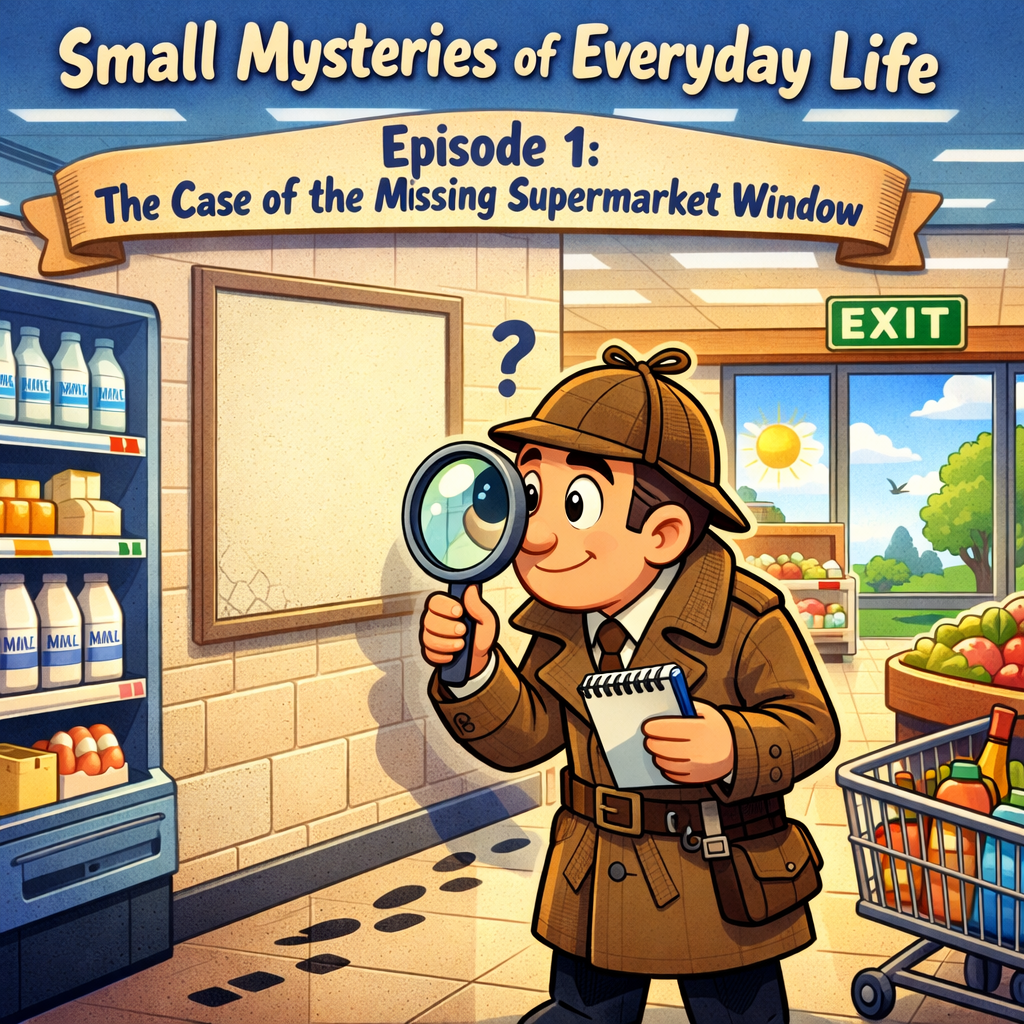
    The Curious Case of Missing Supermarket Window

    Sometimes you can walk somewhere many times and accept reality as it is, without questioning it. Until one day you enter a supermarket in a philosophical mood and start asking random questions.

    Why did I actually come here?
    Yes, we have all been there.

    Do I really need anything?
    Did I pay for the parking ticket, or will I manage to leave within the free time?

    And then, boom.

    Suddenly you notice something you have never noticed before.

    Why are there no windows in supermarkets?
    Why can’t we see the outside world once we enter a big mall?

    When you lose contact with the outside world, you start to feel much safer inside.

    Notice something: when you are at home or in the office and you look through the window and see beautiful weather outside, you naturally want to go out. It becomes harder to focus on the task inside.

    And that is exactly why supermalls avoid windows.

    When you lose contact with the outside world, you start to feel comfortable in an artificial environment. Lovely smells, warm light , everything makes you relax. You walk around looking at colorful things, putting them into your basket, and feeling a small wave of satisfaction with every product you decide to take.

    What was supposed to be a quick 10-minute visit slowly turns into almost two hours. And suddenly you are in a very good shopping mood.

    No duties outside.
    No responsibilities for a while.
    A safe haven inside the supermarket.

    And all of this begins with a small trick: removing the windows.

    Now the question is once you notice it, does anything really change?

    I don’t think so.

    For most people, shopping will still remain one of the most relaxing activities. This article is not about removing the pleasure of shopping. It’s simply about noticing the funny little things around us.

    The next time you enter a supermarket, the first thing you might do is look for a window.

    And you will probably realize there isn’t one.

    Every day we pass thousands of things without noticing them. But once we discover that something exists , or that something was removed on purpose ,we start seeing it everywhere.

    The world is full of small wonders for curious minds and attentive eyes.

    And you ? what obvious thing have you noticed recently that nobody else seems to see?

    After solving the supermarket window mystery, the detective returned home – only to discover another strange pattern. Milk. Always milk.
  • What Your AI Can Do (And No One Talks About)

    What Your AI Can Do (And No One Talks About)

    Most conversations about AI sound like product comparisons.

    Which model is faster.
    Which one writes better code.
    Which prompt gives the best results.
    Which shortcuts help you execute things faster.

    And this is amazing.

    If something took you three hours before and now you can do it in one, two hours suddenly become free for you.

    More time to entertain yourself, right?

    In dreamland, yes.

    But in reality, nothing really changes.
    You simply become more productive and still spend the same amount of time at work.

    Now you are just multitasking more.
    More productive.
    More exhausted.
    More overwhelmed.

    But something much more interesting is happening quietly.

    People are using AI in ways that were never in the manual.

    Not only as a tool.

    As a full entertainment center.
    As a thinking companion.

    AI can be:

    Your joke producer

    When your mind is tired but you still want to laugh.

    Teach AI the type of jokes that make you laugh the most.
    What kind of humor you like: absurd, sarcastic, or more sophisticated.

    Once it learns your taste, I guarantee you will almost fall from your chair laughing. One good for you :

    I Woke Up Early. Life Didn’t.

    They said waking up early is the secret to success.
    So I did it.

    Alarm at 5:00 AM.
    Eyes open.
    Soul missing.

    I sat on the bed like a motivational poster…
    waiting for wealth, clarity, confidence, maybe even a personality upgrade.

    Nothing happened.

    No inspiration.
    No business ideas.
    No sudden realization about my purpose in life.

    Just me,
    half awake,
    questioning every decision that led me here.

    Now I’m not rich.
    I’m not successful.
    I’m just awake and angry.

    Turns out waking up early doesn’t make you successful.
    It just gives you more time
    to realize you were happier asleep 😌😂

    If this made you laugh,
    you’re officially more successful than half of LinkedIn

    Your poem partner

    Even if the poem is childish and imperfect.

    It’s still yours. Your soul and your feelings.

    AI can add structure and return those feelings multiplied.

    Isn’t it fantastic when you are tired and burned out, and suddenly you read something that triggers your emotions and brings you back on track in seconds?

    The situation does not change.

    But your perspective does.
    Your mood shifts.
    And suddenly reality becomes easier to deal with.

    Your philosophical sparring partner

    Do you have someone around you who can explore deep questions about life and human thinking for hours without getting tired?

    No?

    I thought so.

    AI never gets tired.
    It is always available.

    Even at 3 AM it will answer your random question like:

    “Why in human history does no one talk about how human moods affect nature around us?”

    It will explore the idea with you without judging you.

    Your brainstorming partner

    When you have a strange idea and no one around to test it with.

    Maybe the idea is stupid.
    Maybe someone already invented it.
    Maybe you just discovered a new version of something old.

    AI is the perfect partner to explore it.

    You can test the idea, challenge it, build it, break it.

    Sometimes you prepare solid ground before discussing it with other people.

    And sometimes you simply discover the idea was not worth pursuing.

    Both outcomes are valuable.

    Your songwriting assistant

    Turn a random thought into lyrics.

    You can write a simple poem about how you feel and what the song should be about.
    Then let AI polish it.

    Ask for melody ideas.
    Create a music prompt.

    Suddenly you have a custom-made song created just for you.

    Add a simple video and you have five minutes of relaxation anytime you need it.

    And you know why it works?

    Because you created it.

    You know better than anyone what makes you happy.

    Remember when you were five years old and got a coloring book?

    Now imagine that instead of just a coloring book, you suddenly have an entire creative studio.

    Music.
    Text.
    Video.

    Anything you want.

    Your imagination amplifier

    But here is the important part.

    AI is not replacing thinking.

    It is reflecting it.

    If you bring curiosity, it expands curiosity.
    If you bring creativity, it multiplies creativity.

    If you bring laziness and copy-paste thinking…

    That is exactly what it will return.

    AI can become a version of you that thinks faster, explores more scenarios, and asks questions you might never think about.

    And the best part?

    You learn from each other.

    So use it wisely.

    Use it as your creative partner.
    Use it as your thinking team.

    The real question is not:

    “What can AI do?”

    The real question is:

    “What kind of mind is using it?”

    Use it to copy.

    Or use it to think.

    The difference is not the model.

    It’s you.

  • SEO for Normal People

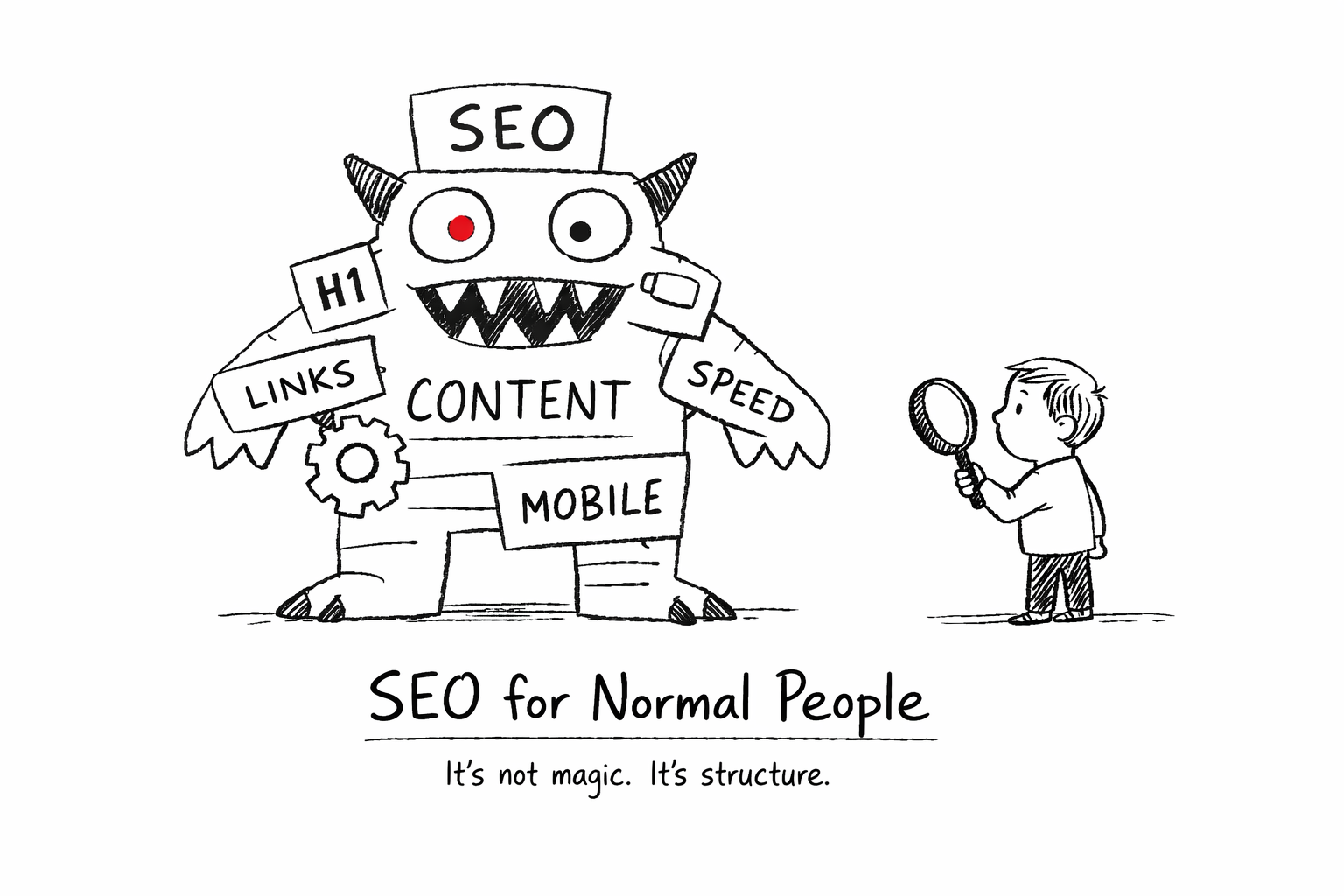
    SEO for Normal People

    What It Is, What It Isn’t, and How Not to Get Lost

    SEO sounds complicated.

    Agencies talk about:
    Algorithms.
    Domain authority.
    Technical audits.
    Backlink velocity.

    And suddenly small business owners feel like they need a translator just to understand the invoice.

    Let’s slow it down.

    SEO is not magic.

    SEO is not secret knowledge.

    SEO is making your website understandable.

    To people.
    And to search engines.

    That’s it.

    Everything else is layers.


    What SEO Actually Is

    Search Engine Optimization means:

    • Your website clearly explains what you do
    • Your pages are structured properly
    • Search engines can crawl and index your content
    • Your content matches real search intent

    Google does not rank “businesses.”

    It ranks pages that answer questions clearly.

    If your website is vague, poetic, or confusing,
    SEO will struggle, no matter how many backlinks you buy.

    Clarity is the foundation.


    What SEO Is Not

    SEO is not:

    • Buying 300 random backlinks
    • Stuffing keywords into every paragraph
    • Adding meta tags and calling it “optimization”
    • Promising first page in 3 months without context

    If SEO were only meta tags, everyone would rank first.

    Real SEO is structured work.
    Ongoing.
    Measured.
    Adjusted.

    It’s closer to gardening than gambling.


    The Two Real Parts of SEO

    There are two main components:

    On-Page SEO

    What happens on your website.

    • Clear headings
    • Logical structure
    • Relevant content
    • Internal links
    • Technical cleanliness
    • Fast loading
    • Mobile-friendly layout

    This is foundation.

    Without it, everything else is unstable.


    Off-Page SEO

    What happens outside your website.

    • Backlinks
    • Mentions
    • References
    • Trust signals

    Good backlinks matter.

    But they must be:

    Relevant.
    Natural.
    Sustainable.


    The “Rental Authority” Problem

    Here’s something many business owners don’t know.

    Some providers boost rankings by placing your links on high-authority websites they control.

    While you pay, the links stay.
    When you stop paying, the links disappear.

    Your rankings drop.

    Is it illegal? No.
    Is it long-term strategy? Also no.

    That’s rented visibility.

    And rented visibility is temporary.

    Real SEO builds assets you keep, even if you stop paying someone.

    That’s the difference.


    What You Should Ask Before Hiring an SEO Provider

    You don’t need to become an SEO expert.

    But you should understand what you’re buying.

    Ask simple questions:

    • What exactly will you improve on my website?
    • How do you measure real results?
    • Are backlinks permanent or dependent on monthly payment?
    • What happens if I stop working with you?
    • Will I understand the reports you send me?

    A serious professional won’t be offended.

    In fact, they’ll appreciate that you care.


    Why SEO Still Matters

    Because when done properly:

    • It reduces dependency on paid ads
    • It compounds over time
    • It builds credibility
    • It creates stable visibility

    SEO is not fast.

    It’s not dramatic.

    But it’s powerful when built on structure.


    Final Thought

    You don’t have to do SEO yourself.

    And you don’t have to distrust every agency.

    But you should understand the basics.

    Because when you understand the rules of the game,
    you stop being an easy target.


    SEO is not magic. It’s structure.

    Listen widely. Apply selectively.

  • Before You Increase Your Google Ads Budget, Read This.

    Before You Increase Your Google Ads Budget, Read This.


    Google Ads became smarter.
    That doesn’t automatically mean it became cheaper.

    If you run ads for a small business – or you’re thinking about increasing your budget – pause for a moment.

    I don’t manage enterprise accounts with million-dollar budgets.
    I work with small businesses.

    And small budgets behave differently.

    What I’ve seen too many times is this:

    Budget goes up.
    Clicks go up.
    Stress goes up.

    Sales? Not always.

    So before you increase your Google Ads budget this year, check a few things calmly.

    Not as a technician.
    As a business owner.


    Automation Is Smarter. But It Needs Structure.

    Google is pushing automation everywhere:

    • Smart bidding
    • Broad match
    • Performance Max

    And honestly?
    Sometimes it works beautifully.

    But automation without structure is just fast guessing.

    If your conversion tracking is unclear,
    if your website doesn’t clearly show what you offer,
    if the next step isn’t obvious…

    Then the system optimizes noise.

    And noise with budget attached becomes expensive.

    Google’s AI doesn’t understand your childhood dream.
    It understands signals.

    If your homepage talks emotionally about building wooden houses since you were five, the system might categorize you closer to “bird houses” than premium home construction.

    Signals create targeting.
    Targeting spends budget.

    If the signals are unclear, the spending will be too.


    Your Website Structure Matters More Than Your Campaign Type

    This is rarely discussed.

    Before ads, ask yourself:

    Can someone understand what I do in five seconds?
    Five seconds decide whether someone stays or leaves.

    Is my offer clear?
    Can an average person understand what my business actually does – even if English isn’t their first language?

    Is pricing transparent enough to filter the wrong audience?
    If you sell customized, higher-value products, why pay for clicks from bargain hunters who will never buy?

    Is there one obvious action to take?
    Buy.
    Book.
    Request a quote.
    Check availability.

    Or is the visitor forced to guess?

    Traffic amplifies what already exists.

    Clear website → better results.
    Confusing website → faster money loss.

    Google Ads does not fix structure.
    It magnifies it.


    The Recommendations Tab Is Not Your Financial Advisor

    Google will suggest:

    Increase budget.
    Expand targeting.
    Add more keywords.
    Remove limits.

    That doesn’t mean the recommendations are wrong.

    But remember:

    Google is a business.
    Its system is designed to increase activity and spend.

    Your system must be designed to increase profit.

    Those goals overlap – but they are not identical.

    Removing limits gives the system more freedom.
    Freedom without structure can become expensive.

    Review. Think. Decide.

    Don’t click “Apply All” at 11:47 pm.


    Small Budgets Need Discipline, Not Expansion

    If you’re a small company, your advantage isn’t scale.

    It’s focus.

    Instead of:
    More keywords.
    More locations.
    More experiments.

    Try:
    Clear message.
    Strong landing page.
    Precise targeting.

    Define your real customer.

    Where do they live?
    What do they value?
    Fast delivery? Craftsmanship? Personal service? Premium materials?

    Speak directly to them.

    Small budgets need clarity more than creativity.


    You Don’t Need to Know Everything

    You don’t have to become an ad manager.

    But you should understand:

    • What is being measured
    • What counts as a real conversion
    • What the cost per actual customer is – not per click

    Ask your specialist those questions.

    Not aggressively.
    Just intelligently.

    A good expert will appreciate that.


    Final Thought

    Google is not your enemy.
    But it is not your financial advisor either.

    Before increasing your ad budget,
    make sure your foundation is strong.

    If this helped you slow down and think differently, that’s enough.

  • Building Your First Website Without Losing Your Mind (Or Your Sanity)

    Building Your First Website Without Losing Your Mind (Or Your Sanity)

    How to build your first website ?

    If you’re starting from zero, this guide will help you take small, calm steps – without feeling overwhelmed or lost in a sea of buttons, plugins, and templates.

    We’ll cover:

    • the tools that make your life easier
    • how to optimize images so your site doesn’t crawl
    • the pages you actually need (and which ones you don’t)
    • how to write your home page without sounding robotic
    • why it’s okay for your website to feel empty at first

    Think of this as your hand-holding, coffee sipping, “you’ve got this” guide 🤍

    How to build Your First Website (Or: The Cake That Lied to You 🎂)

    Creating a website is like baking your first cake ,messy, confusing, but eventually delicious.

    Everywhere you hear:

    “It’s easy.”
    “It’s simple.”
    “It takes 5 minutes.”

    Let’s be honest for a second.

    No.
    It doesn’t.

    Even if you have technical knowledge, building a simple website takes at least one full day. And if you don’t? It takes patience, coffee, and a few moments of questioning your life choices 😅


    “But AI Can Build a Website for Me!”

    Yes. It can.

    And it will probably do a good job.

    But ask yourself this:
    Will it feel like your website?

    It’s a bit like ordering home decor online from a company you’ve never spoken to. The furniture might be beautiful. The colors might match.
    But will it feel like home?

    One in a million chance.
    Are you that lucky? 😂
    No? I thought so.

    That’s why the best approach is:

    • either build your website yourself, step by step
    • or let someone build it for you after you clearly explain what you want

    Your website should feel like you, not like a random template that landed in the wrong house.


    Let’s Assume You’re Building It Yourself

    Now, before anyone panics -no.
    I’m not going to tell you to learn coding.

    If words like HTML, CSS, JavaScript sound to you like:
    “the validity of quantum physics in the structural universe” -welcome to the club 😂🤣
    Sometimes I’m so smart I don’t understand myself either.

    So… no coding.


    Choosing a Platform (Without Breaking Your Brain)

    For beginners, the best option is WordPress.

    Why?

    • It has many free themes
    • Thousands of plugins
    • You can start small without spending much money
    • And when your business grows, WordPress grows with you

    When you’re starting a business, you count every cent (or dirham), and WordPress respects that.


    Before You Build Anything (One Important Step)

    Before designing pages or choosing colors, you need two things:

    1. A domain name (your website address)
    2. A hosting (the place where your website lives)

    My honest advice?
    Buy both in one place. It’s easier, faster, and saves a lot of frustration.

    Personally, I recommend Hostinger:

    • It’s beginner-friendly
    • It has WordPress installation built-in
    • You don’t need to jump between different platforms
    • Less stress, more progress

    Click, install, breathe.


    A Gentle Reminder Before We Continue

    Your first website doesn’t have to be perfect.
    It doesn’t need to impress everyone.

    It just needs to:

    • exist
    • feel like yours
    • and get better with time

    And it will. I promise.

    Beginner Tools (So You Don’t Feel Lost)

    Before we go any further, let me say this clearly:

    You do not need all the tools.
    You do not need them right now.
    And you are allowed to learn one thing at a time.

    These tools are here to make life easier, not more complicated.


    Domain & Hosting (Your Website’s Address and Home)

    What it’s for:
    This is where your website lives and how people find it.

    Beginner-friendly choice:

    • Hostinger
      You can buy:
      • domain
      • hosting
      • and install WordPress in one place

    Less jumping around. Less “where did I click?” moments.

    Good for:
    ✔ first websites
    ✔ small businesses
    ✔ people who don’t want drama


    Themes (How Your Website Looks)

    What it’s for:
    A theme is like choosing the style of your house before decorating it.

    Good beginner options:

    • Astra
    • Hello
    • Blocksy

    They are:

    • free (with paid upgrades if you ever want more)
    • light and fast
    • easy to change later

    Important reminder:
    You’re not marrying your theme.
    You can change it. Breathe


    Page Builders (Move Things Without Coding)

    What it’s for:
    This lets you drag things around instead of touching code.

    Beginner-friendly choice:

    • Elementor (free version)

    You can:

    • add text
    • add images
    • move sections
    • see changes instantly

    If you can use Canva, you can use this.

    Image Optimization (Make Your Site Faster)

    What it’s for:
    Large images = slow website.
    Slow website = visitors leaving quietly.

    Easy options:

    • TinyPNG / TinyJPG (online, free)
    • Smush or ShortPixel (WordPress plugins)

    This is one of those “small effort, big difference” things.


    Safety & Backup (Because Things Happen)

    What it’s for:
    Protect your website and save a copy in case something breaks.

    Beginner-safe options:

    • UpdraftPlus (backups)
    • Wordfence (basic security)

    You don’t need to become paranoid.
    You just need a seatbelt.


    Writing Help (If Words Feel Heavy)

    What it’s for:
    Helping you write clearer, friendlier text.

    Helpful tools:

    • Grammarly – for clarity
    • Notion / Google Docs – for planning pages

    Write like you talk.
    Edit later. Always.


    One Last Thing (Very Important)

    Tools don’t build websites.
    People do.

    Tools are just helpers.

    If today you only:

    • bought a domain
    • installed WordPress
    • and looked at your empty dashboard

    That’s already progress.

    Your website is not late.
    It’s being born.

    Images: Why Your Website Is Slow (And It’s Not Your Fault)

    Let’s talk about images.
    Because they are lovely… and also a little dramatic.

    Most first-time website owners don’t know this:
    Images are the number one reason websites feel slow.

    Not the platform.
    Not the hosting.
    Not “bad luck”.
    Just… images that are too heavy.

    Think of it like this:
    You invited guests to your house, but before opening the door, you’re trying to carry ten suitcases at once.
    Of course it takes time 😅

    That’s exactly what happens when someone opens your website and all images rush in together, unprepared.


    “But My Images Look Fine?”

    Yes. They look fine.
    But behind the scenes they might be:

    • taken directly from a phone (very large files)
    • downloaded from a camera (even larger)
    • uploaded without any preparation (website panic)

    Your visitor doesn’t see the image problem.
    They feel it.

    They click – wait – wait a little more – leave.

    And no one tells you why.


    The Good News (Take a Breath)

    You do not need to learn design.
    You do not need technical skills.
    You do not need expensive software.

    You just need to make images a little lighter before putting them on your website.

    That’s it.
    No magic. No stress.


    Helpful Tools (Pick What Feels Easy)

    If you want something free and simple:

    • TinyPNG / TinyJPG
      Upload your image – download it lighter -upload to your website.
      That’s the whole process. Really.

    If you use WordPress and want automatic help:

    • Smush or ShortPixel
      These tools quietly optimize images for you in the background — like a helpful assistant who doesn’t talk too much.

    If you prefer “I don’t want to think about this again”:

    • A paid image optimization plugin is worth it for peace of mind.
      One click, problem solved, go drink tea

    One Important Thing People Forgetq

    Always check your website on your phone.

    If you have to:

    • zoom
    • pinch
    • squint
    • rotate the screen

    Your visitors will do the same… once.
    Then they’re gone.

    Your website should feel calm on mobile.
    Like it belongs there.


    A Gentle Reminder

    Your first website doesn’t need to be perfect.
    It needs to be kind to visitors.

    Fast enough.
    Clear enough.
    Human enough.

    And if your images were heavy before -congratulations
    You’re officially doing what almost everyone does at the beginning.

    You’re learning. That’s the point.

    What Pages Your First Website Actually Needs

    (And Which Ones You Really Don’t)

    Let’s clear something up right now:

    Your first website does not need to be big.
    It needs to be clear.

    Most beginners open WordPress, see “Add New Page” and think:

    “Maybe I need Home… About… Services… Portfolio… Blog… Shop… FAQ… Testimonials… Press… Careers… Contact… Privacy… Cookies… Terms…”

    Stop.
    Breathe.
    Put the mouse down 😂

    More pages do not make you more professional.
    They just make visitors tired.


    The 4 Pages You Actually Need

    Yes. Four.
    Not forty.


    1. Home Page (Your “Hello”)

    What people expect here:

    • Who you are
    • What you do
    • Who it’s for
    • What to do next

    That’s it.

    Your home page is not your life story.
    It’s a friendly wave and a clear sentence.

    Think:

    “You’re in the right place if…”

    Not:

    “Welcome to our innovative solutions platform established in…”

    If someone stays 10 seconds and understands you — success


    2. About Page (The Human Page)

    This page is not about how amazing you are.

    It’s about:

    • why you do what you do
    • who you help
    • what you believe in

    People don’t connect with businesses.
    They connect with humans.

    You don’t need awards.
    You need honesty.


    3. Services / What I Offer Page

    Even if you offer one thing, it deserves its own page.

    Explain:

    • what you do
    • how it helps
    • what problem it solves

    No complicated packages.
    No buzzwords.

    If your visitor thinks:

    “Oh… this makes sense.”

    You’re doing great.


    4. Contact Page (Don’t Hide This One)

    Please don’t make people search for you like a treasure hunt.

    This page should be:

    • simple
    • clear
    • easy

    Email, form, WhatsApp , whatever you prefer.
    Just make it obvious.

    If people want to reach you and can’t, they won’t try twice.


    Pages You Can Skip (For Now)

    These pages are not bad — they’re just not urgent.

    ❌ Blog

    You don’t need one on day one.
    Only start when you actually want to write.

    ❌ Portfolio

    If you have work — great.
    If not, don’t panic. One example is enough.

    ❌ FAQ

    If no one has asked you questions yet…
    there is nothing to answer 😂

    ❌ Shop

    Selling later is perfectly fine.


    The Page That Confuses Everyone: Privacy Policy

    Yes, you need it.
    No, you don’t need to write it yourself.

    Use a generator.
    Add it.
    Forget about it.

    We don’t overthink this one.


    A Friendly Rule to Remember

    If a page doesn’t:

    • help your visitor
    • answer a question
    • or guide them to the next step

    You don’t need it yet.

    Your website is allowed to grow with you.

    How to Write Your Home Page Text (Without Sounding Like a Robot )

    Let’s start with the most important truth: If your home page sounds like a robot, it’s not because you’re bad at writing. It’s because you’re trying to sound professional instead of human. And “professional” on the internet often means: long sentences big words no personality zero warmth Your visitor is not a board of directors. They are a tired human with many tabs open.

    First Rule: Write Like You Talk

    Before writing anything, do this:

    Imagine a friend asks you:

    “So… what do you do?”

    You don’t answer:

    “We provide innovative digital solutions tailored to diverse client needs.”

    You answer:

    “I help people build simple websites without losing their minds.”

    That’s your home page tone.


    The Simple Home Page Formula (No Creativity Required)

    You only need four short parts.


    1. One Clear Sentence at the Top

    This is the most important text on your website.

    Answer one question:

    “Why am I here?”

    Good examples:

    • “I help small businesses build their first website — simply and calmly.”
    • “Website creation for people who don’t speak tech.”

    Bad example (sorry 😅):

    • “Welcome to our platform offering comprehensive digital services.”

    If people understand you in 5 seconds, you win.


    2. Who This Is For (So Others Can Relax)

    Tell people directly if they’re in the right place.

    Example:

    • “This is for you if you’re starting a business and feel lost with websites.”
    • “Perfect for beginners who want a website that feels like them.”

    This is not exclusion.
    This is kindness.


    3. How You Help (Keep It Simple)

    No processes. No systems. No “methodologies”.

    Just explain:

    • what you do
    • how it helps
    • what problem disappears

    Example:

    • “I guide you step by step.”
    • “I build it for you or help you build it yourself.”
    • “I explain things in normal language.”

    Simple = trustworthy.


    4. One Clear Next Step

    Your visitor should never ask:

    “Okay… what now?”

    Choose one action:

    • Contact me
    • Book a call
    • Read the guide
    • Start here

    One button.
    One direction.


    Words That Make You Sound Like a Robot (Try to Avoid)

    You don’t have to delete them forever — just not all at once:

    • innovative
    • cutting-edge
    • solutions
    • leverage
    • seamless
    • scalable
    • excellence

    If a word sounds like it belongs in a corporate PowerPoint, maybe it doesn’t belong on your home page 😂


    A Small Writing Trick (Very Helpful)

    Write badly first.

    Seriously.

    Open a document and write:

    • too long
    • too messy
    • too honest

    Then remove:

    • half the words
    • the complicated phrases
    • anything you wouldn’t say out loud

    What’s left is your voice.


    Gentle Reminder Before You Publish

    Your home page doesn’t need to impress everyone.

    It just needs to make the right person feel:

    “Oh… this feels safe.”

    And that’s not robotic at all.

    Why Your Website Feels Empty

    (And Why That’s Completely Normal)

    At some point, every beginner sits in front of their website and thinks:

    “Is this it?”
    “It looks… empty.”
    “Did I miss something?”

    No.
    You didn’t miss anything.

    You’re just early.


    Empty Does Not Mean Wrong

    A new website is like a new apartment:

    • the walls are clean
    • the rooms echo
    • there’s furniture, but it doesn’t feel lived in yet

    That doesn’t mean the apartment is bad.
    It means no one has lived there yet.

    Websites need:

    • time
    • visitors
    • small updates
    • real use

    You can’t fake that on day one.


    Why Comparing Makes It Worse

    You look at other websites and think:

    “Their site feels full.”
    “Mine feels quiet.”

    What you don’t see:

    • years of content
    • dozens of edits
    • mistakes that were fixed
    • pages that no longer exist

    You’re comparing your beginning to someone else’s middle.

    That’s not fair to you.


    What Actually Fills a Website (Over Time)

    Not more pages.
    Not more plugins.

    But:

    • real questions from real people
    • small improvements
    • clarity
    • confidence

    Your website will grow because you grow.


    What You Should Focus on Instead

    If your website:

    • works on mobile ✅
    • loads reasonably fast ✅
    • explains what you do ✅
    • shows how to contact you ✅

    Then it is doing its job.

    Everything else is decoration and decoration comes later.


    A Gentle Truth

    Most websites don’t fail because they’re empty.
    They fail because people never start.

    You started.

    And that already puts you ahead of most people who are still “thinking about it”.


    Before You Close This Page

    If your website feels empty today:

    • don’t add random content
    • don’t panic
    • don’t copy others

    Just let it breathe.

    Your website is not unfinished.
    It’s just new.

    Your first website doesn’t need to be perfect.
    It just needs to exist, feel like you, and work for the people who visit.

    Take it step by step.
    Use the tools.
    Write like you talk.
    Breathe.

    Every small change, every little update, every finished page is progress.
    Before you know it, your website won’t feel empty anymore – it will feel alive, just like you imagined 😄

    And remember: starting is already a huge win. You did that today.

  • The Future of Music Creation with Suno: How AI Can Inspire Lyrics, Melody, and Social Media Magic

    The Future of Music Creation with Suno: How AI Can Inspire Lyrics, Melody, and Social Media Magic

    Music has always been the language of the soul. It can make us dance, cry, dream, and connect , often all at once. And in a city like Dubai, where creativity meets innovation at every corner, the future of music is being rewritten in real time. Technology is no longer just a tool; it’s a collaborator. Enter Suno, the AI platform that is transforming how music is created, giving creators , from bedroom musicians to social media storytellers ,the ability to craft compelling lyrics, captivating melodies, and professional-quality audio like never before.

    Whether you are making a short reel for Instagram, a TikTok clip, or producing your next viral track, understanding how to harness AI for music creation can elevate your content, spark fresh ideas, and save countless hours of trial and error. In this post, we’ll explore how Suno works, how to craft lyrics and melodies that resonate, and how social media creators can leverage AI to take their content to the next level.

    suno music in Dubai

    1. What is Suno?

    Suno is more than just a music generation tool. It’s an AI-powered creative assistant that helps artists, musicians, and content creators experiment with sound, lyrics, and melodies. At its core, Suno uses machine learning to analyze millions of songs across genres, learning patterns in chord progressions, lyrics, and rhythms. With this knowledge, it can generate original music or assist you in refining your ideas.

    Unlike traditional music production software, which requires technical expertise and time, Suno allows anyone, whether a beginner or a seasoned professional , to explore musical ideas quickly. From indie pop to cinematic orchestration, Suno adapts to different styles, helping creators imagine possibilities they might not have considered. In Dubai’s fast-paced creative scene, this means you can produce content faster, keep up with trends, and experiment with innovative sounds that capture attention online.

    AI in music is not about replacing humans; it’s about collaboration. Suno gives you a starting point, a spark, a rough canvas. The artistry, the nuance, and the emotional depth still come from you.


    2. Creating Lyrics with Suno

    Lyrics are the heartbeat of a song, they tell a story, convey emotion, and connect with listeners. With Suno, you can generate lyric ideas in seconds, explore themes, and even find rhymes or phrasings you may not have thought of. But to create lyrics that truly resonate, AI should be your co-pilot, not your autopilot.

    Tips for crafting the best lyrics with Suno:

    1. Start with a clear theme: Give Suno prompts that include the mood, message, or story you want to tell. For example, “Write a hopeful love song with a Dubai city vibe.”
    2. Iterate and refine: Generate multiple options and mix them. Sometimes a line from one suggestion and a chorus from another create magic.
    3. Keep your human voice: AI can suggest words, but your authenticity gives the song soul. Edit, rephrase, and add personal touches.
    4. Use prompts creatively: Don’t just ask for “happy lyrics.” Include settings, emotions, or imagery , it makes the output richer and more vivid.
    5. If you want truly yours song write your lyrics yourself and ask AI to regenerate it. Don’t know how to write lyrics for song? Use your poems you wrote and never show no one and let AI gives it new meaning. Not Poet? There are million of them. Why not add Shakespeare poem for example and let Ai do the magic. Please remember AI is only tool. You have to be creative.

    Social media creators benefit immensely from this process. Short-form content thrives on catchy, memorable lines. A well-crafted lyric can make a 15-second reel unforgettable. By experimenting with Suno, you can quickly create engaging audio that supports your visuals and enhances your storytelling.


    3. Crafting the Perfect Melody

    Lyrics are the heart, but the melody is the pulse of the song. Suno’s AI can suggest chord progressions, harmonies, and melodic lines that fit your chosen style. This doesn’t replace your creativity; it amplifies it. Imagine having a virtual collaborator that instantly experiments with hundreds of variations, allowing you to pick the ones that resonate most.

    Tips for crafting melody with Suno:

    • Match the mood: Ensure the chords and tempo match the emotion of your lyrics.
    • Blend AI suggestions with intuition: Use Suno for ideas, but adjust rhythm, pitch, or tempo to make it uniquely yours.
    • Experiment with layers: Try harmonies, background instruments, or counter-melodies. AI can generate these quickly.
    • Consider social media format: Short, punchy melodies work best for reels, TikToks, or Shorts, while longer, emotive lines suit full-length tracks.
    • Not write prompt like i want Rihanna sing this song in R&B vibe because Suno first don’t allow reference to any artist and second its already exist. Be unique in every way. Read your lyrics then imagine you want people dance to this song or listen this with headphone at night. Describe mood atmosphere, vocals emotions, what you want feel after listen to this song. Describe emotion. Blend different styles imagine how heavy metal connect with celtic spirit and arabic soul, add violin to lead or electric guitars riffles and see for yourself what amazing results you can achieve.

    A melody created with AI can help social media creators produce content faster, maintain consistency in tone across posts, and even experiment with trending styles that might go viral.


    4. Social Media Creators: Why This Matters

    Content today is driven by audio as much as visuals. Instagram, TikTok, and YouTube Shorts thrive on short, catchy music. But creating original, high-quality music can be time-consuming and expensive. Suno solves this problem by enabling creators to:

    • Generate original music instantly: No more stock tracks that everyone else is using.
    • Match mood to visuals: AI can help you craft music that complements your storytelling.
    • Save time: Spend minutes generating multiple options instead of hours composing.
    • Experiment freely: Try new styles, genres, or moods without risking production costs.

    By integrating AI-generated music, creators can enhance engagement, create signature sounds, and elevate the overall quality of content , all while keeping their workflow fast and flexible.


    5. Tips to Get the Best Results from Suno

    To truly harness AI in music creation, a thoughtful approach is key. Here’s how to get the most out of Suno:

    1. Be specific with prompts: The more detail you give emotion, style, instruments, tempo , the better the output.
    2. Iterate quickly: Generate multiple versions and mix them to find your ideal sound.
    3. Combine AI and human intuition: Adjust melody, phrasing, or rhythm to make it feel personal and authentic.
    4. Collaborate with others: Use Suno to create a foundation, then involve other musicians or creators for finishing touches.
    5. Experiment with trends: Use AI to explore sounds that match trending TikTok or Instagram audio styles ,but always keep your unique voice.

    6. The Future of Music Creation

    The future of music isn’t AI replacing artists; it’s artists collaborating with AI. Suno and similar tools democratize music production, giving anyone the ability to compose, experiment, and create professional-sounding tracks. For Dubai creators, this is especially exciting: a city known for innovation and digital creativity is the perfect place to explore AI-driven music.

    Ethically, creators must stay authentic — AI can generate ideas, but human emotion and storytelling remain irreplaceable. As the lines blur between AI and human input, the most successful creators will be those who embrace collaboration, experiment boldly, and use technology to enhance rather than replace their creative voice.


    Conclusion

    Suno is more than a tool; it’s a partner in your creative journey. For social media creators, musicians, and anyone looking to explore new ways of storytelling through sound, AI offers a world of possibilities. By blending your human touch with AI-generated ideas, you can craft lyrics that move, melodies that linger, and content that stands out.

    In Dubai, where creativity meets innovation, the future of music is collaborative, fast, and exciting. So experiment, iterate, and let Suno inspire your next viral reel, emotional song, or unforgettable audio experience. Ready to start your music journey sign here and receive 250 Credits.

  • How to Speed Up Your Website The Beginner’s Guide

    How to Speed Up Your Website The Beginner’s Guide

    You know, in today’s online world, the speed of your website really matters, a lot. It’s not just about looking good; it’s about the experience users have when they land on your page. People, they want things to load fast. If your site takes too long, well, they get annoyed, and that can lead to them leaving, bouncing right off, and guess what? That could hurt how people see your brand. But worry not after reading this article you will expert in field how to speed up your website.

    And here’s another thing search engines, especially Google, they’re keeping an eye on your speed too. It’s kind of like a report card. If your site is slow, it might get a lower grade in search results, which isn’t great for visibility. You want to be seen, right?

    Now, let’s talk about conversion rates. Speed plays a huge role here. Whether you’re trying to sell something, get people to sign up for a newsletter, or just get them to interact with your content, a fast website makes it so much easier. It cuts down on the hassle for users, making them more likely to take that next step with you. So, in the end, it’s all about creating a smooth experience that helps you succeed online. Pretty crucial, wouldn’t you say?

    How to Speed Up Your Website Easy Way

    When we talk about “easy wins” in website optimization, we’re really diving into those quick and simple tweaks that can make a world of difference in how your site performs without requiring a ton of effort. Let’s break down three key examples: image optimization, browser caching, and enabling Gzip compression.

    First up, image optimization. It’s all about compressing those images without losing any of that all-important quality. You know, choosing the right file formats,like WebP, JPEG, or PNG, based on what kind of image you’re dealing with. This little step can seriously cut down on page load times. Smaller image sizes mean less data to shuffle around, which translates into a quicker, snappier experience for folks visiting your site.

    Next, we have browser caching. This nifty trick tells your visitors’ browsers to keep certain static files from your site,think images, CSS, and JavaScript, stored locally. So, when they come back for a second visit, or they hop around different pages on your site, there’s no need to redownload all those files. The result? Much faster loading times for them. Who doesn’t love that?

    And then there’s Gzip compression. Enabling this on your web server means you’re compressing HTML, CSS, and JavaScript files before they get sent over to users’ browsers. Once they receive it, their browser decompresses everything. This nifty process cuts down on the data that needs to be transferred over the network. So, especially for those folks out there on slower internet connections, it can make a real, noticeable difference in loading times.

    These straightforward adjustments not only boost the user experience but can also give your search engine rankings a nice little lift. It’s pretty amazing how some simple changes can lead to such big results, don’t you think?

    How to Speed Up Your Website by Choosing The Right Hosting

    Picking the right web hosting is super important if you want your website to run smoothly and load fast. There are basically four main types to consider: Shared, VPS, Dedicated, and Cloud hosting. Each one has its own perks and downsides that can really affect how quickly your site loads.

    First up, we’ve got Shared hosting. It’s the budget-friendly option, but here’s the catch you’re sharing server resources with a bunch of other sites. This can slow things down, especially when traffic is heavy. You know how it is everyone’s trying to get a piece of the pie, and that can create some bottlenecks.

    Then there’s VPS, or Virtual Private Server hosting. This one’s a step up, giving you your own little slice of server resources. So, you can expect better performance and scalability compared to Shared hosting. Your site will load faster and respond better since it’s not as affected by what others are doing on the same server.

    Now, if you really want to go all out, there’s Dedicated hosting. This means you get an entire server just for your website. Yep, it’s all yours! This option gives you maximum control, resources, and of course, speed. It’s perfect for high-traffic sites or if you need specific software setups.

    Lastly, we have Cloud hosting. This one’s pretty cool because it uses a network of virtual servers. So, it’s super scalable and reliable. Resources can be allocated on the fly, which means your site can handle spikes in traffic without a hitch. And hey, scaling it up or down can often be done with just a few clicks!

    In the end, the best choice really depends on what your website needs, how much traffic you expect, and your budget. But hey, just remember, understanding how each hosting type impacts performance is key to making sure your website is as speedy as it can be! It’s all about finding that right fit to keep your visitors happy.

    How Using CDN Affects Your Website Speed

    Alright, let’s break this down a bit. So, Content Delivery Networks, or CDNs, are like a web of servers spread out all over the globe, working together to deliver content to users based on where they’re located. Imagine you don’t have just one server holding all the files for your website; instead, a CDN keeps copies of your stuff—like images, videos, scripts, and stylesheets on servers that are much closer to your visitors. When someone tries to access your site, the CDN smartly sends them to the nearest server that has the cached content. This clever setup cuts down on latency, which is basically the delay in loading times, and it can really speed things up for the user.

    Now, let’s talk about how much of a difference a CDN can make for your website speed. It’s pretty huge! By shortening the distance data has to travel, CDNs effectively tackle those pesky latency issues that can slow things down. Plus, they spread the load among several servers. This means your main server doesn’t get bogged down, especially when there’s a rush of visitors. And we all know that faster load times lead to happier users less chance they’ll bounce away to another site and better chances for improved search rankings. It’s like having a secret weapon for optimizing your website and keeping that online experience smooth.

    So, if you’re thinking about using a CDN, the process is usually pretty simple. You just sign up with a provider, tweak your website settings to point to the CDN’s servers, and let them handle caching your content. It’s often a straightforward investment that pays off, especially if your site has a global reach or if you’re working with a lot of media. It’s totally worth it!

    Testing, Optimization, and Tools to Peed Up Your Website:

    You know, when it comes to making a website truly shine, testing and optimization really can’t be overlooked. It’s all about ensuring that user experience is not just smooth but also speedy. There are some fantastic tools out there that can help with this, and a few stand out among the rest: Google PageSpeed Insights, GTmetrix, and WebPageTest.

    First up, let’s talk about Google PageSpeed Insights. This one’s a gem, honestly. It’s super simple to use, and it gives you a quick look at how your site is performing on both mobile and desktop. It doesn’t just stop there, though. It points out potential problems and gives you solid recommendations based on what Google suggests is best practice. Pretty handy, right?

    Then there’s GTmetrix. This tool dives a bit deeper. It brings together scores from PageSpeed and YSlow and also includes tons of metrics and visuals. This means you can really zero in on where to focus your optimization efforts. It’s like having a magnifying glass for your website’s performance!

    And let’s not forget about WebPageTest. This one’s for the pros, really. It lets you run advanced tests, simulating different network conditions, browsers, and even locations. This way, developers can see exactly how their site performs in real-world scenarios. It’s like getting a backstage pass to your website’s performance, allowing for those fine-tuned adjustments that make all the difference.

    Using these tools effectively? Well, that’s where the magic happens. They empower developers and website owners to create not just faster websites, but ones that are more efficient and user-friendly. So, if you’re aiming to enhance your online presence, diving into these tools could be a game changer!

    Front End Optimization a Way to Speed Up Your Web

    Optimizing the front end of your website it’s really key, if you want to create a fast, engaging experience for your users. There are a bunch of techniques that can help with this, each one playing its part to make your site smoother and more responsive.

    First off, let’s talk about minifying and concatenating CSS and JavaScript files. Sounds technical, right? But it’s pretty straightforward! Minification basically shrinks your file sizes by getting rid of unnecessary stuff, like extra spaces and comments. And then there’s concatenation, which is just a fancy way of saying you’re combining multiple files into fewer, larger ones. This makes it easier on the browser since it doesn’t have to make so many requests.

    Now, you also want to tackle render-blocking resources. What does that mean? Well, it’s about making sure your browser can quickly read and show the initial content without getting stuck waiting on scripts or stylesheets. A little tip: if you prioritize and optimize what’s above the fold—the stuff users see first—you’ll make a big difference in how fast they perceive your site to be.

    And let’s not forget about lazy loading for images and videos. This nifty technique delays loading these elements until they’re just about to be seen on the screen. It’s a smart way to cut down on that initial load time and save on bandwidth, too.

    So, think about these strategies as little tweaks that can make a huge impact. It’s all about giving your visitors a smooth, enjoyable experience because, in the end, that’s what it’s all about, right?

    How Back End Optimization Can Speed Up Your Website

    Alright, so let’s dive into website speed optimization, which, believe me, isn’t just a simple task. It’s like a puzzle with lots of pieces, and it involves a bunch of techniques on both the front-end and back-end.

    Starting with the front-end, we really want to make sure users don’t just think the site is fast, but that it actually is. You know, things like making images lighter, trimming down CSS and JavaScript files, using browser caching , all that jazz helps. And let’s not forget about cutting down those pesky HTTP requests. When these strategies come together, it’s like magic the site feels snappier and more responsive, which is exactly what we want for a great user experience.

    Now, flipping to the back-end, that’s where things can get a bit more technical. Here’s the deal: we want to boost server-side performance. This usually means doing a few key things. First up, there’s database optimization. This means taking a good, hard look at how queries perform and tweaking that database structure to make it more efficient.

    Next, there’s server-side caching. It’s super important because it keeps frequently accessed data right there in memory, which means we don’t have to keep asking the database for the same info over and over. Talk about saving time!

    And let’s not skip over code profiling and optimization – it’s crucial. Using the right tools, we can pinpoint those slow spots in the server-side code and rewrite them to speed things up.

    So, when you think about it, all these back-end tactics work in harmony to ensure that your website can handle requests and deliver content like a pro. It’s a team effort, really, and when done right, your site can truly shine!

    Conclusion

    Optimizing your website speed isn’t just some extra thing you can do anymore it’s actually super important for your online success. If your site is slow, well, you can bet visitors will get frustrated and bounce right off it, which means you could be missing out on revenue. So, when we talk about speeding up your site, it’s not just one thing you can fix. No, it involves a bunch of different strategies. You might wanna compress those images, take advantage of browser caching, cut down on those pesky HTTP requests, and make sure you’ve got a hosting provider that you can trust. And let’s not forget about having efficient code, making the user experience as smooth as possible, and regularly checking in on your performance. All these pieces are crucial to keep your site running fast over time.

    Now, let’s wrap this up with a little pep talk: Speed Up for Success!

    So, here’s the deal, every millisecond really does matter when it comes to how quickly your site loads. By using the tips we’ve gone over, like optimizing images, using caching, trimming down your code, and picking the right hosting, you can make a noticeable difference in how your site performs and how visitors feel about their experience. It might seem a bit overwhelming at first, but just tackle the easy stuff first and then move on to the trickier optimizations. Trust me, the time and effort you put into speeding up your website will really pay off. You’ll see better search engine rankings, more conversions, and a happier crowd of visitors. So, go on, give it a shot, speed up for success!